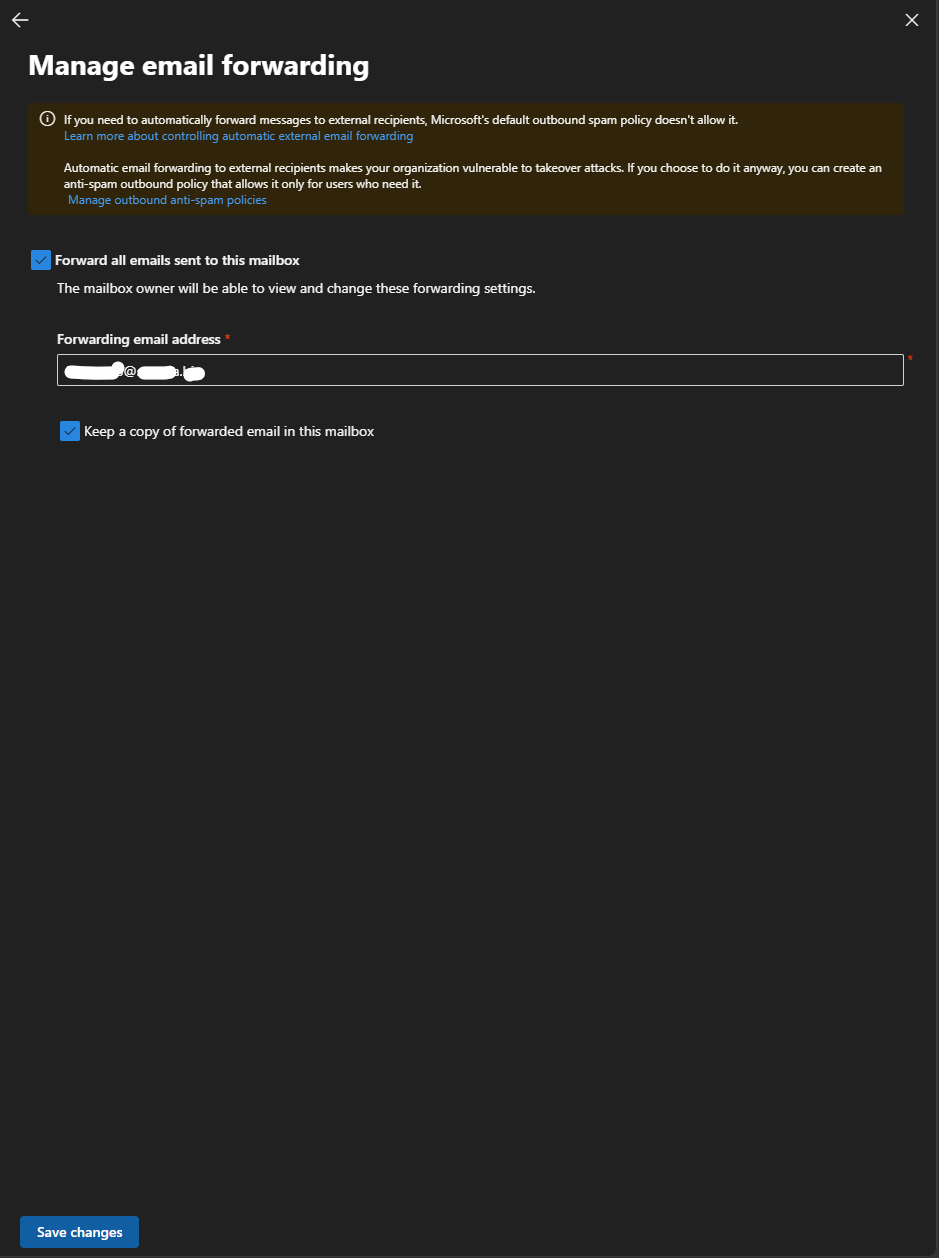
M365: Set forwarding email on admin center


In the Microsoft 365 admin center. To set forwarding email can do on admin console.
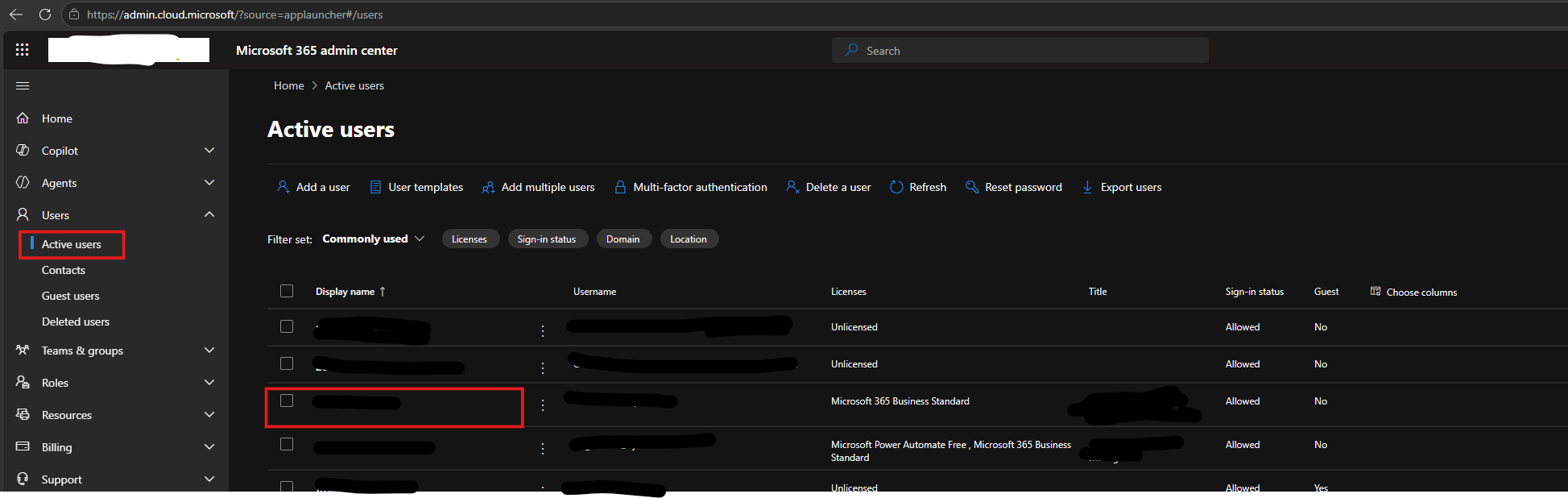
- Login to Microsoft 365 admin center.
- Goto "User" > "Active users".
- Select account to set forwarding.
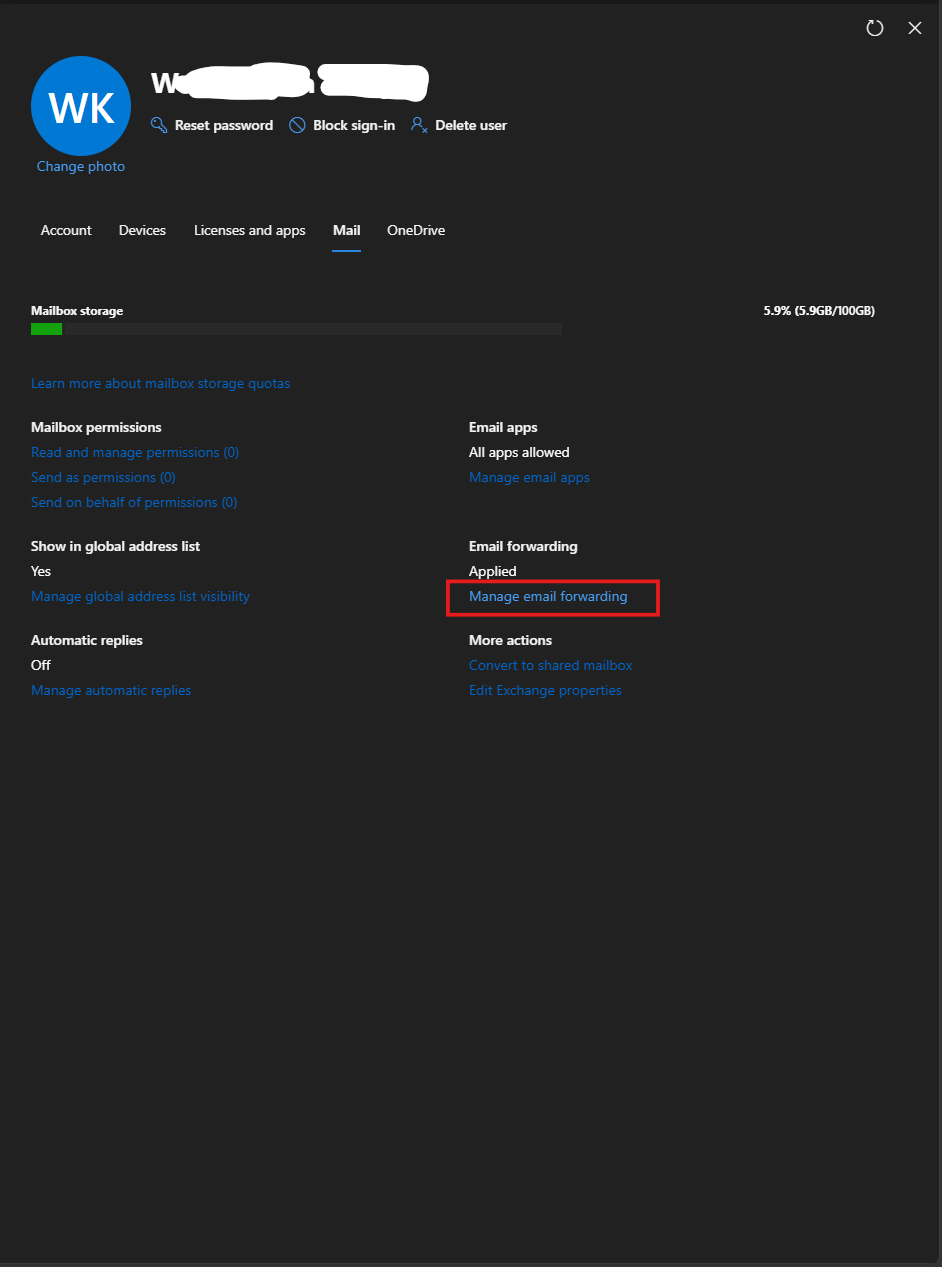
- Goto section "Mail" > "Email forwarding" > "Manage email forwarding".
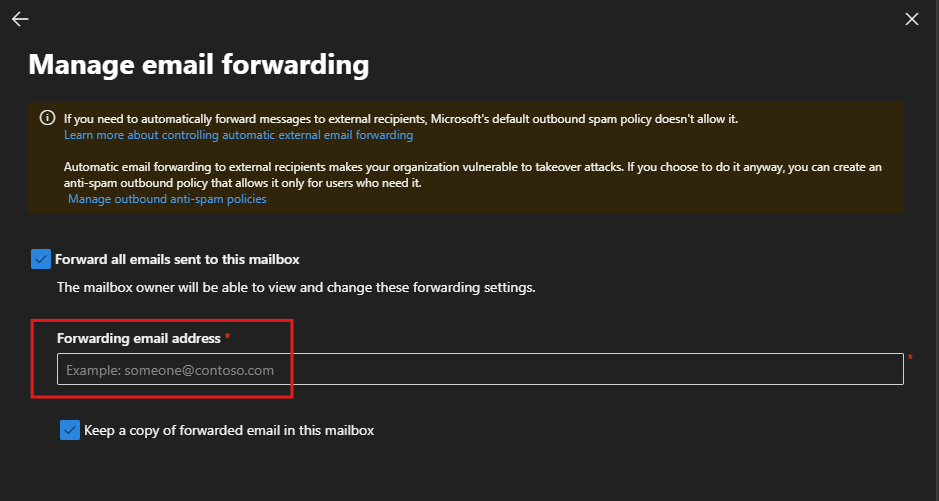
- Enable (Check box) "Forwarding email address" and Enter destination email address.
Optional: Enable (Check box) "Keep a copy of forwarded email in this mailbox" for keeping recive
6. Save change.