
Computer tip How to use "Tab Groups" in Google Chrome.


Let me introduce a great feature available in the Google Chrome/Microsoft Edge browser that helps manage too many open tabs cluttering your screen: "Tab Groups".
How to group tabs to avoid clutter.
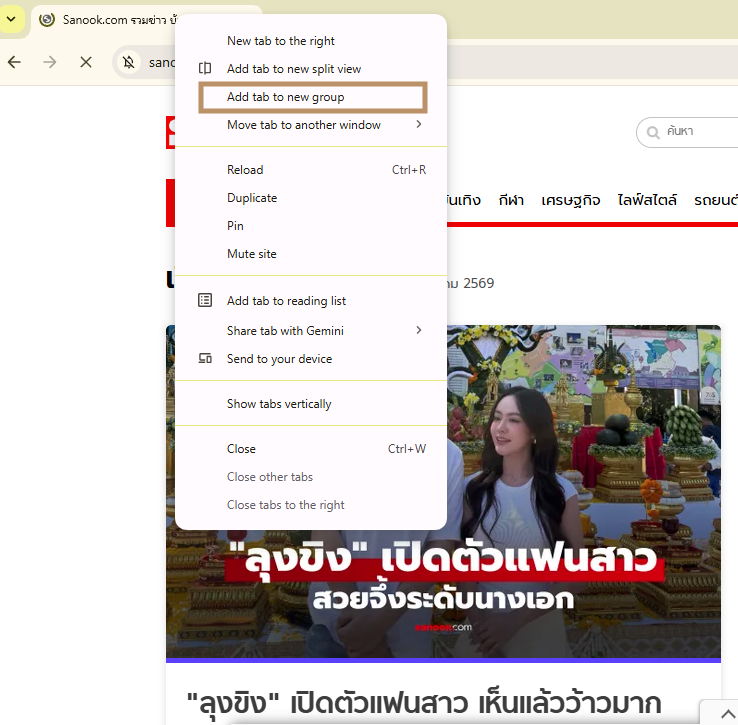
- Right-click on the tab you want to group.
- Select "Add tab to new group".
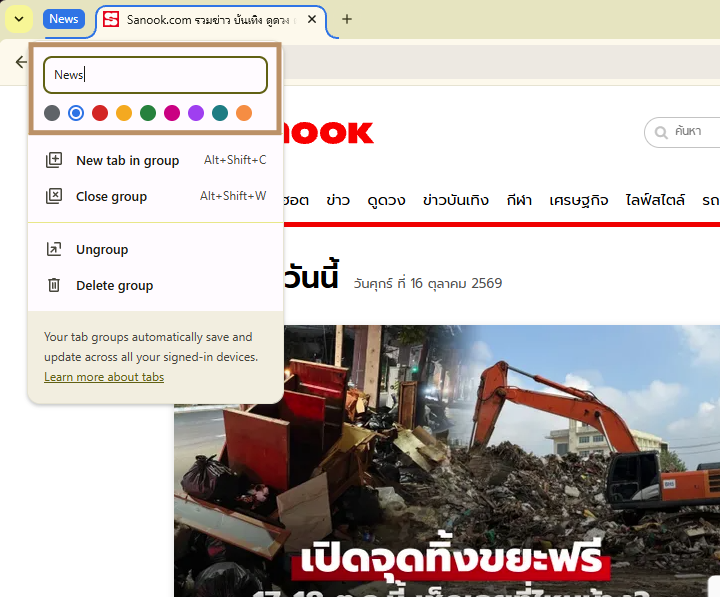
- Name the group (e.g., "Work", "Shopping", "News") and choose a group color.
- Drag other tabs into this group as needed.
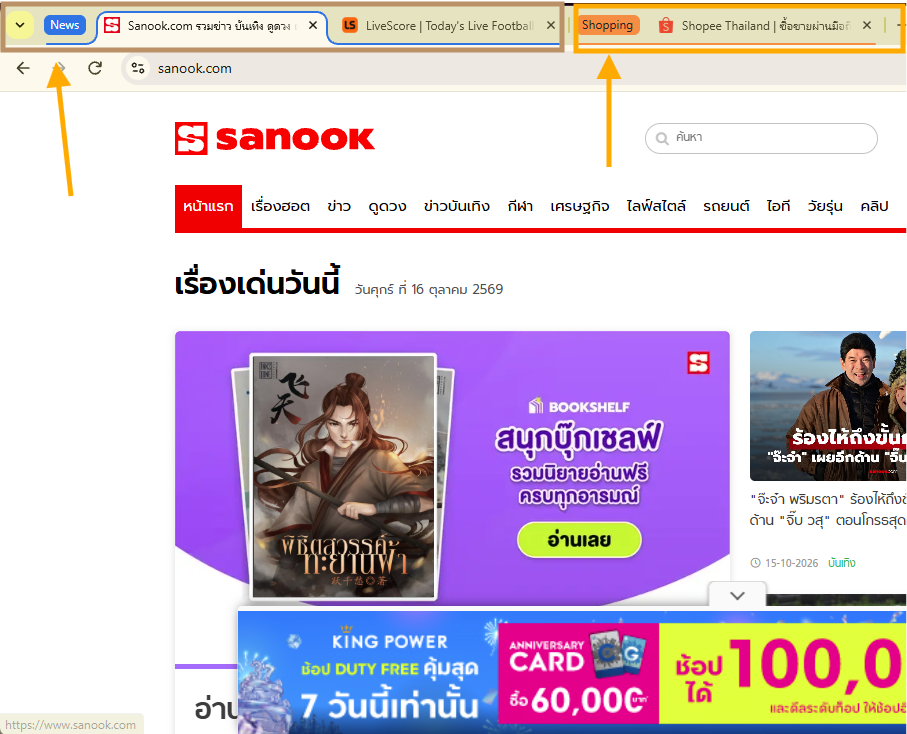
A great trick that many people don't know.
- Collapse tabs: Clicking on the "group name" will collapse all tabs within that group, leaving only the short group name label visible. This helps free up screen space and makes the browser look cleaner.
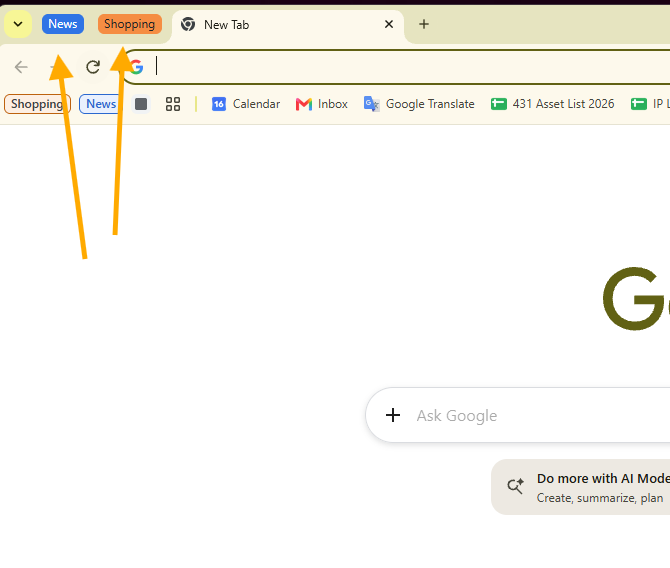
- Open simultaneously: Clicking the group name again will expand all tabs, allowing you to resume work immediately.
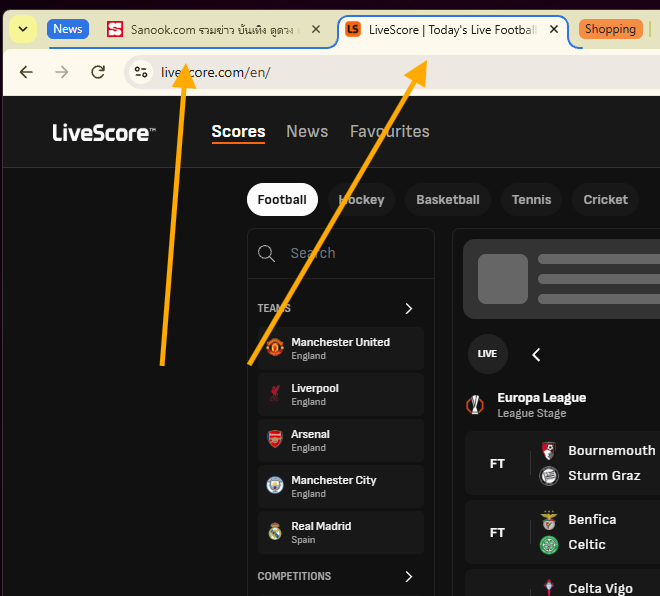
finished.
end..