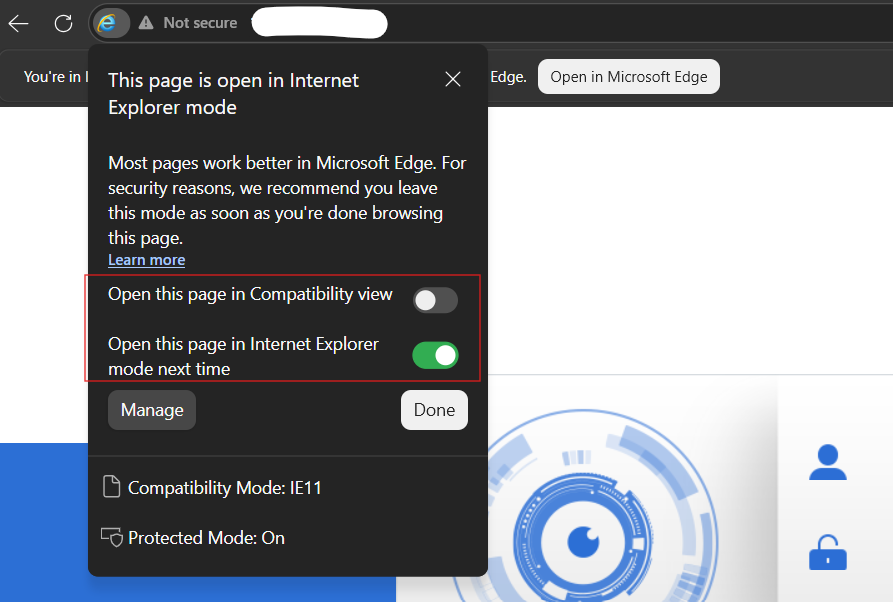
Enable and using IE mode on Microsoft Edge


Using Internet Explorer Compatibility (IE Mode) on Microsoft Edge. For access some old web site or web console for old CCTV.
You can enable IE Mode in Microsoft Edge by following steps below.
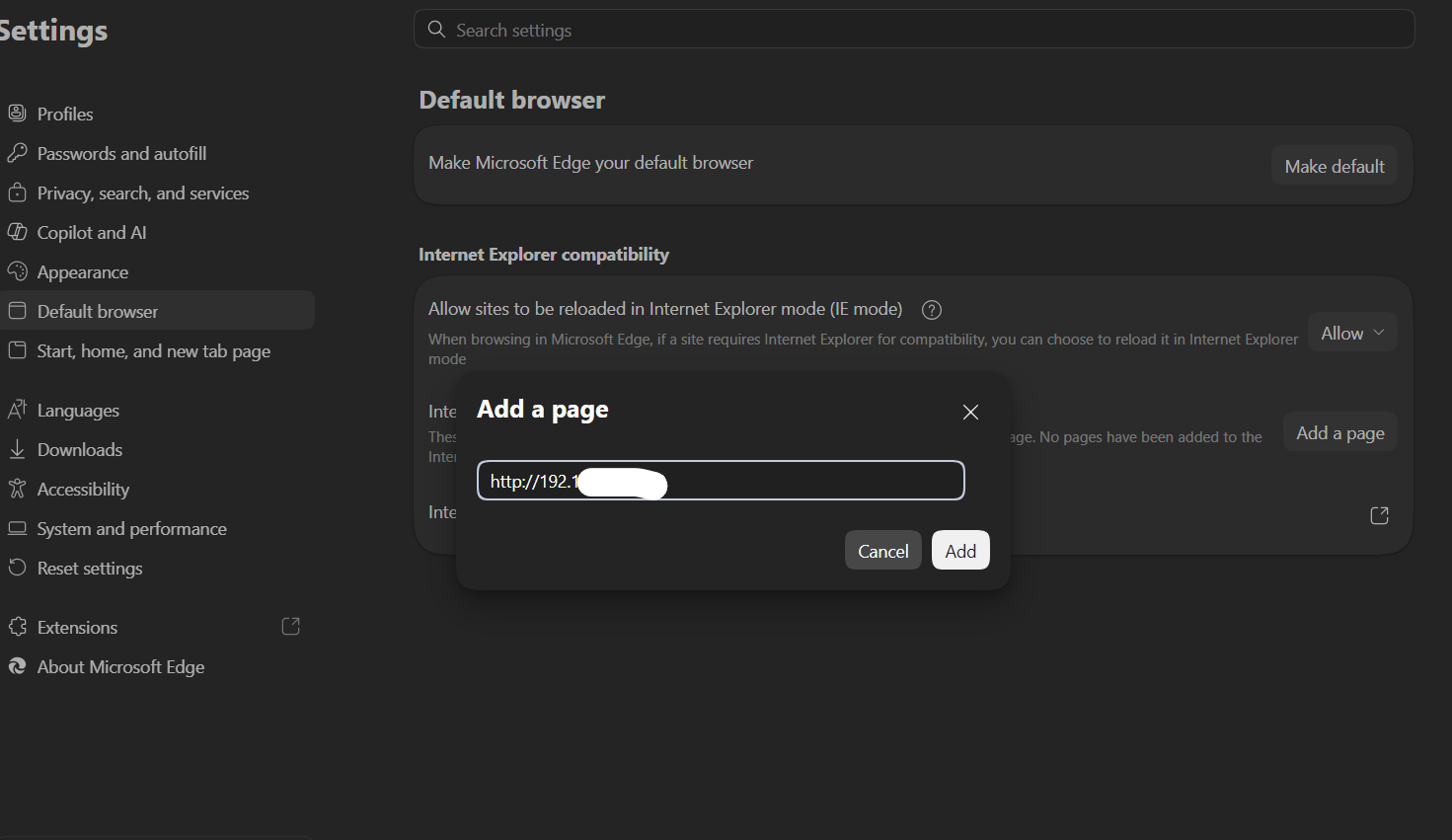
1. Mocrosoft Edge > Navigatng to "Setting".
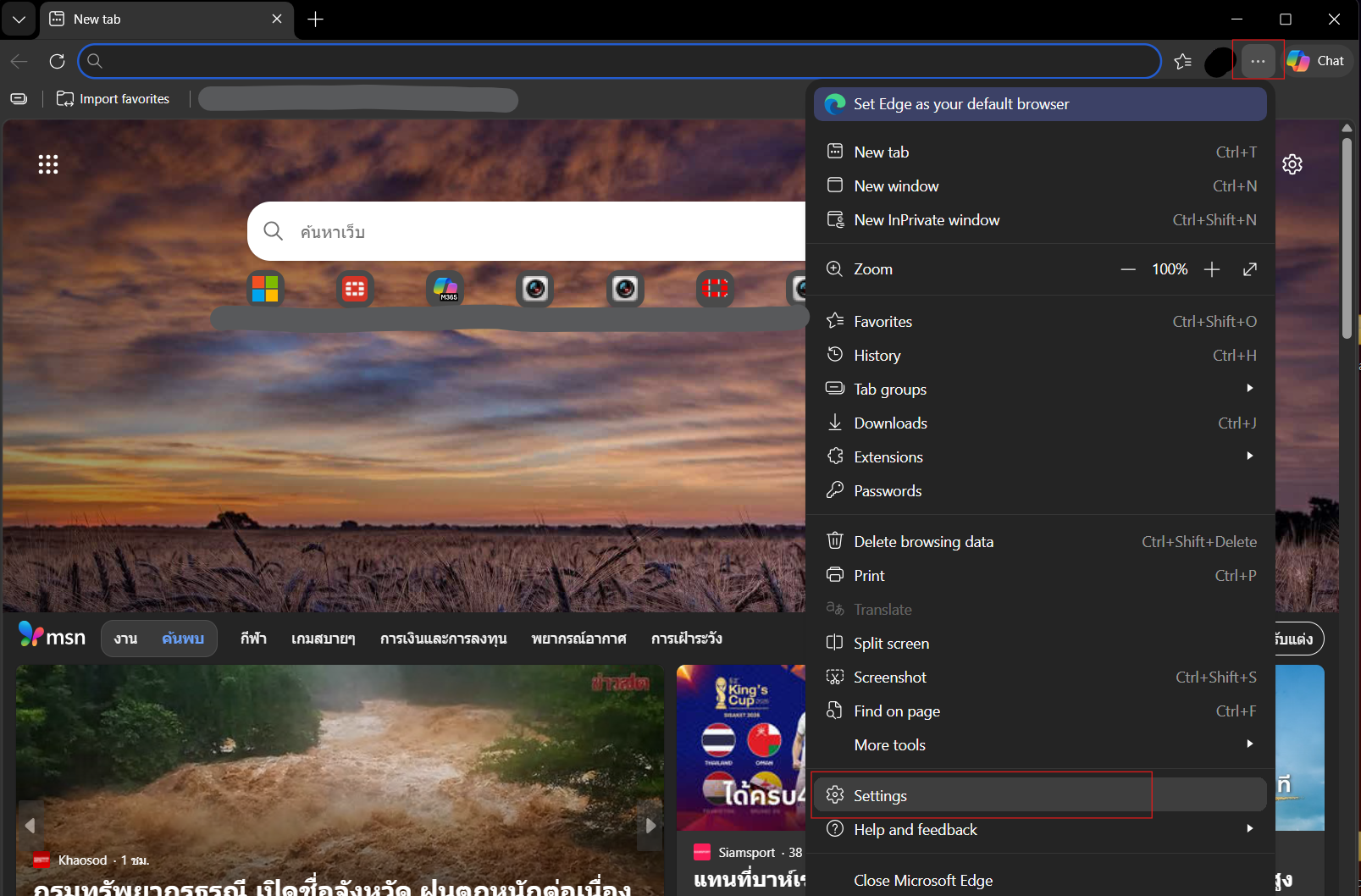
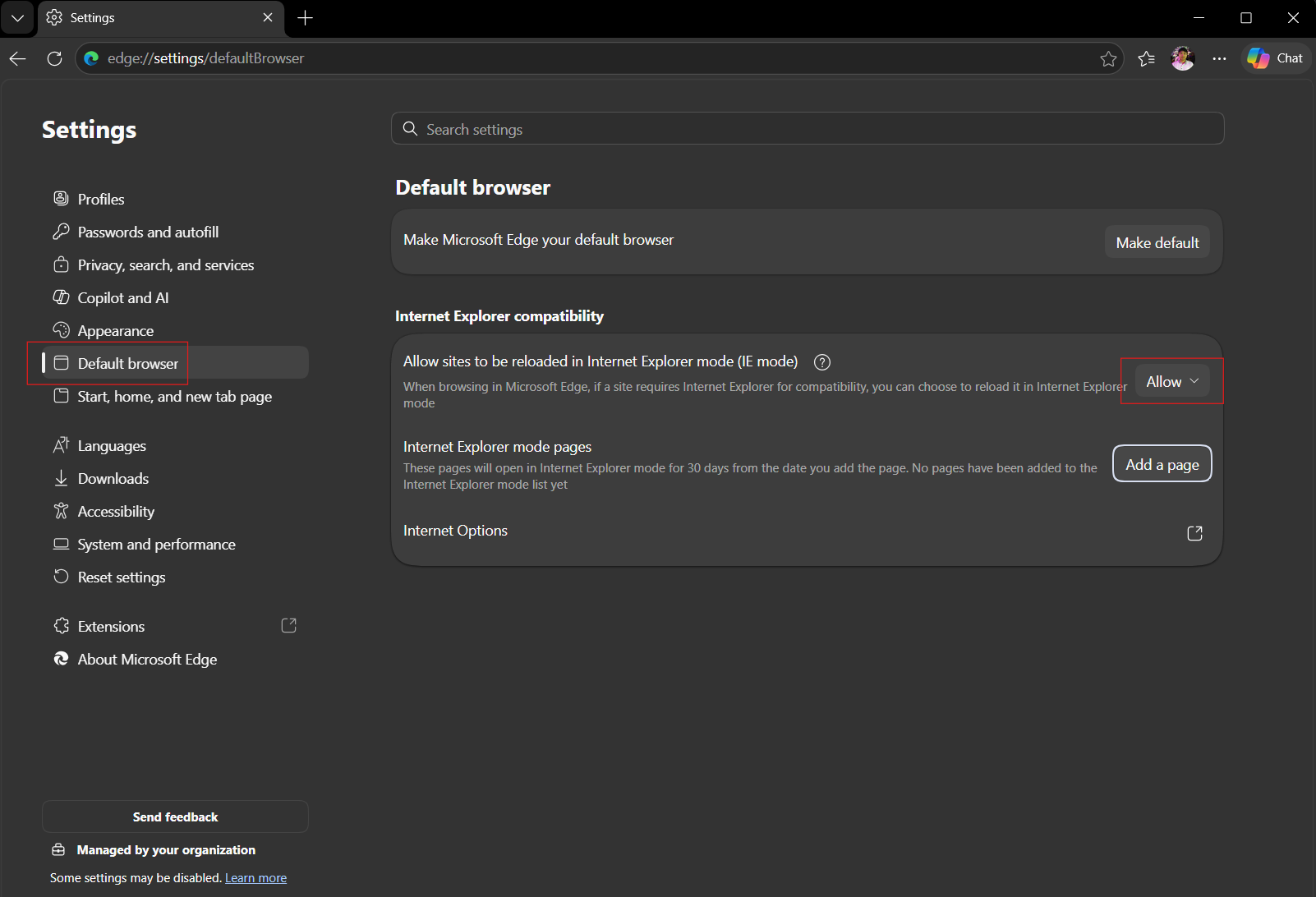
- Located to "Default browser"
- On section "Internet Explorer compatibility" change to "Allow".
- Internet Explorer mode pages > "Add a page".
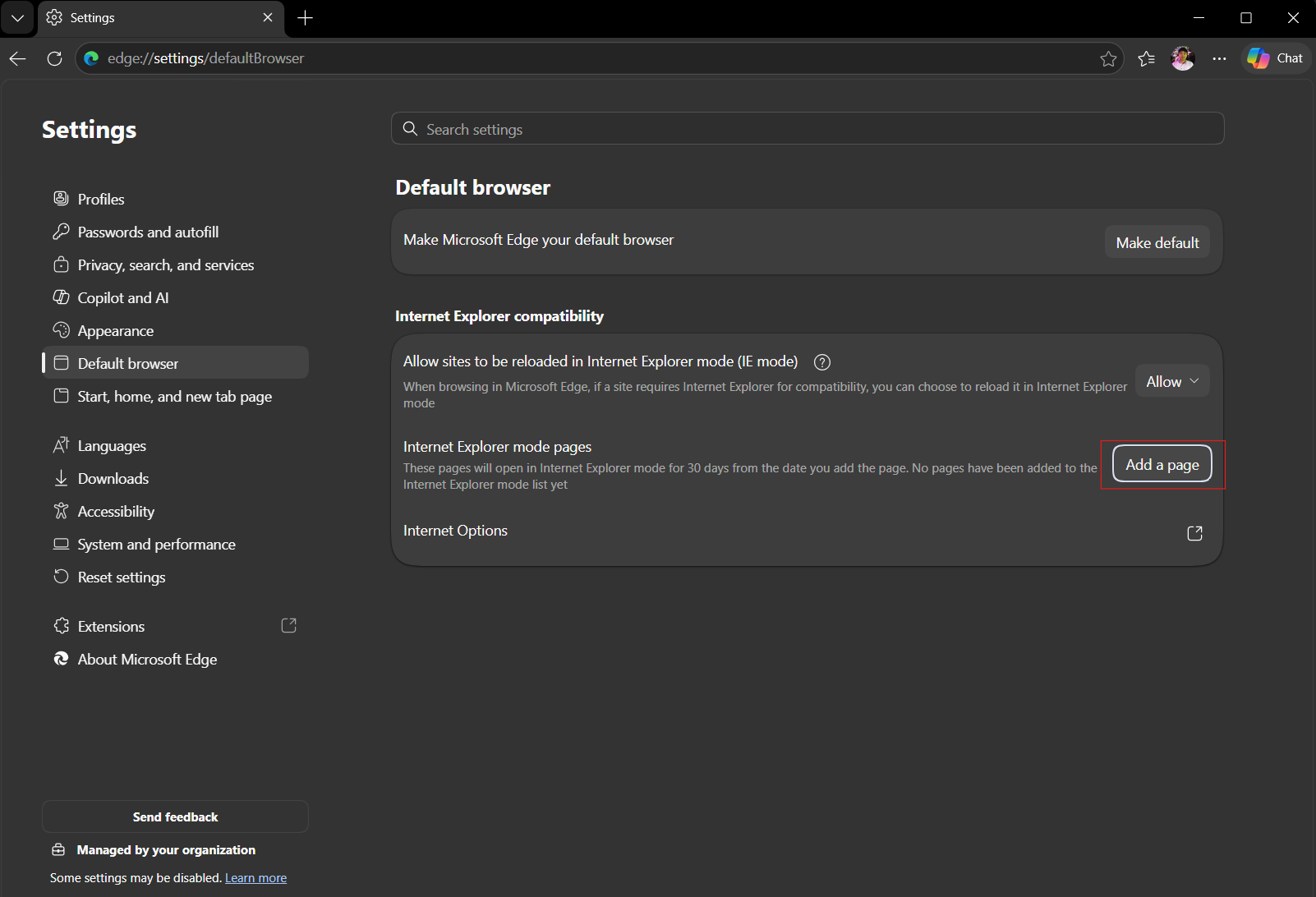
- Enter your URL or IP address that you prefer to open with compatible/IE mode.
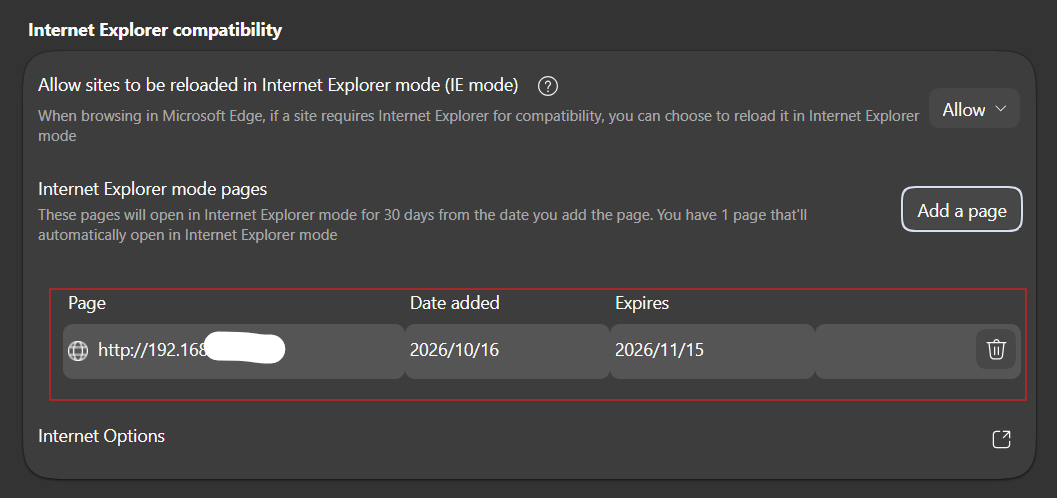
- The page will show on the list.
- Now connect to the URL via Microsoft Edge. It will show IE icon on the address bar (Mean it run as IE).
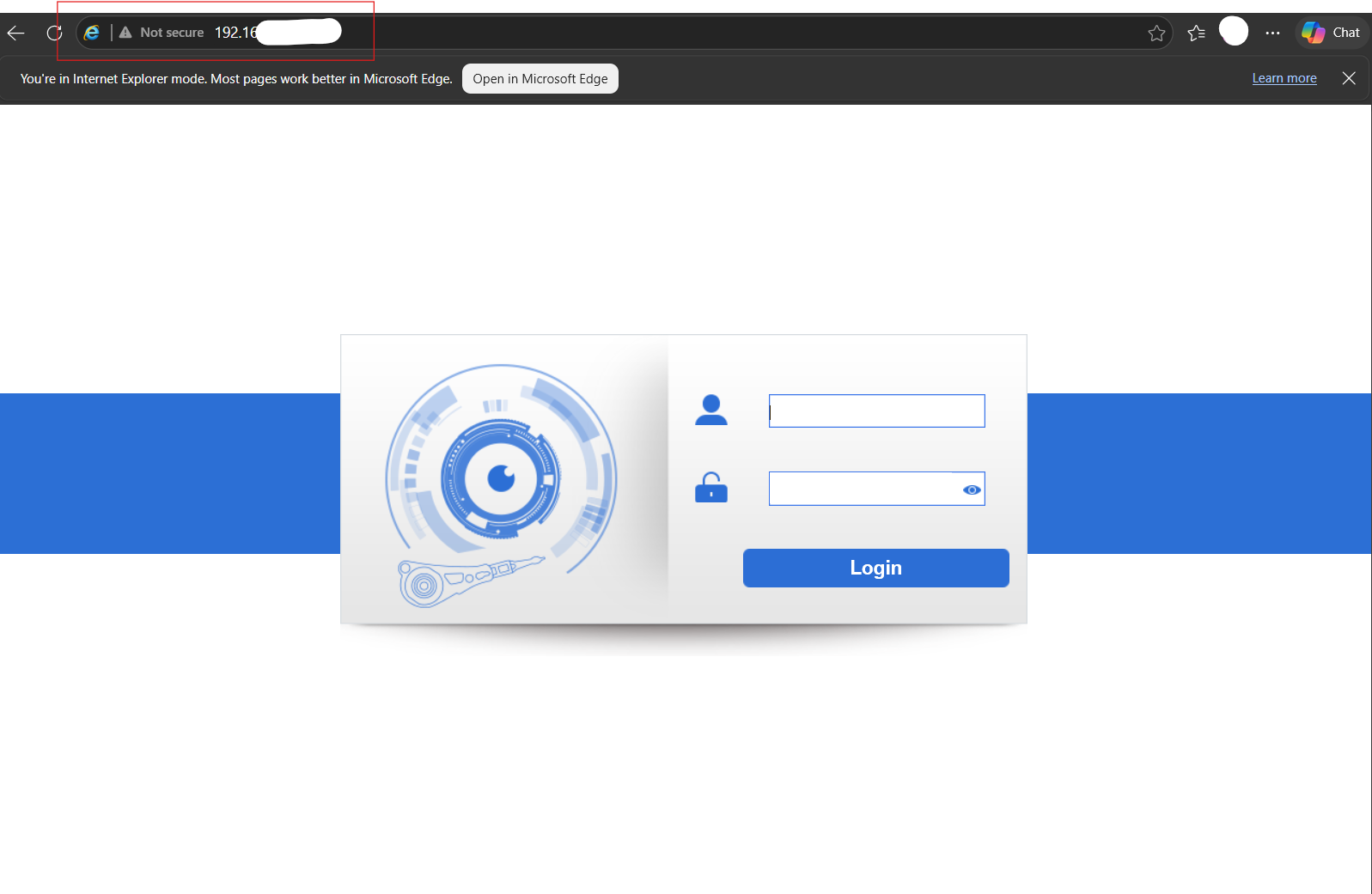
- Also, can clieck on IE icon and change setting.