
Atlas: The menu in Excel is disappear


AX4 with Atlas, in excel file to pull report sometime menu "Atlas 5.1" is disappear and make excel file can not pull report.
Here is basic step to check when menu is disappear by checking status Add-ins on excel options.
- Check service "Atlas" is running.
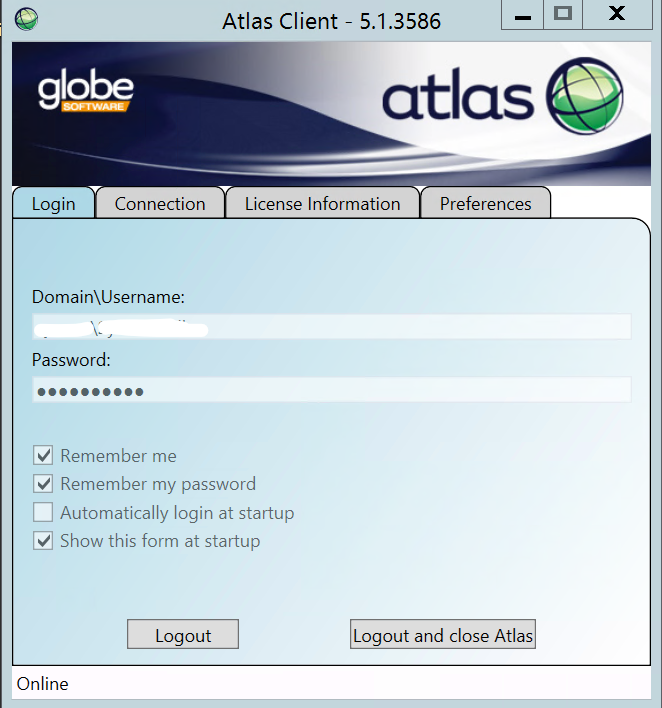
- If it have other user account use atlas try with difference user.
- Check in Excel option.
- File > Option
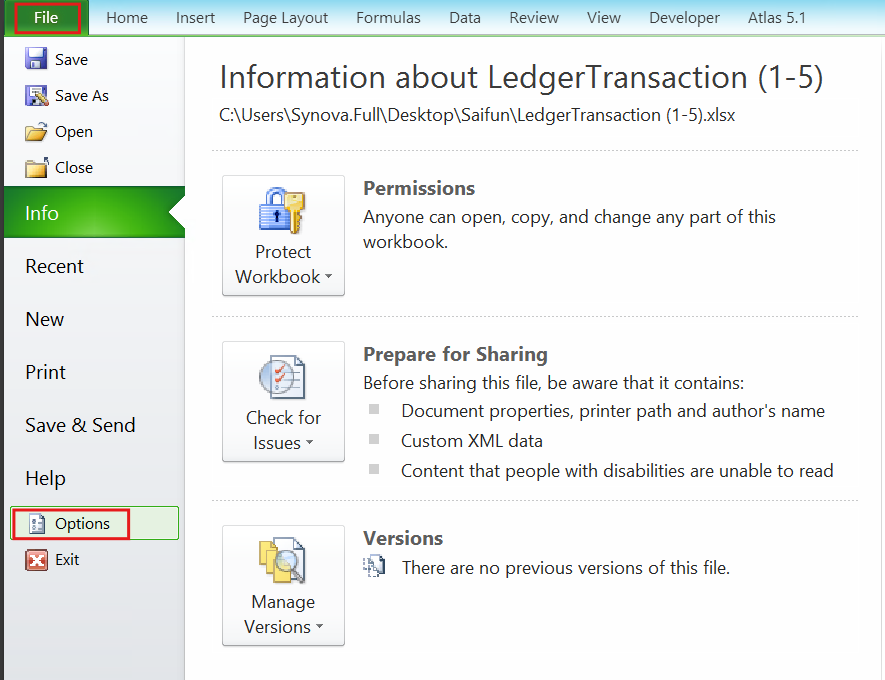
- Click on "Add-Ins"
(In-case the menu of atlas disappear on "Active Application Add-ins" will not show the Atlas Microsoft Excel Addin (COM Add-in).

- Mange > Disable Items and clicke Go.
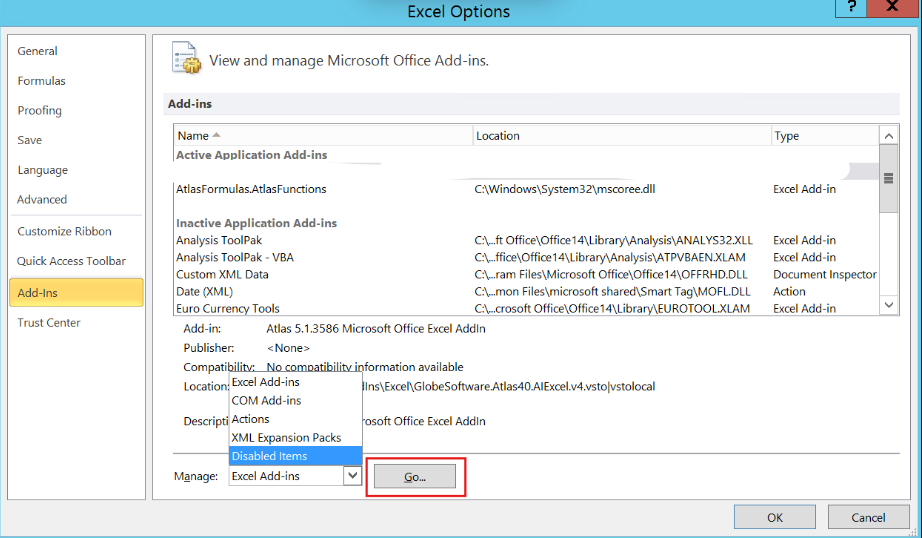
7. In-case atlas menu is disappear, Check on "Disable items" it should show "Atlas add in on it"
- Select Add-Ins on Disable items and click Enable it. Then OK to close excel.
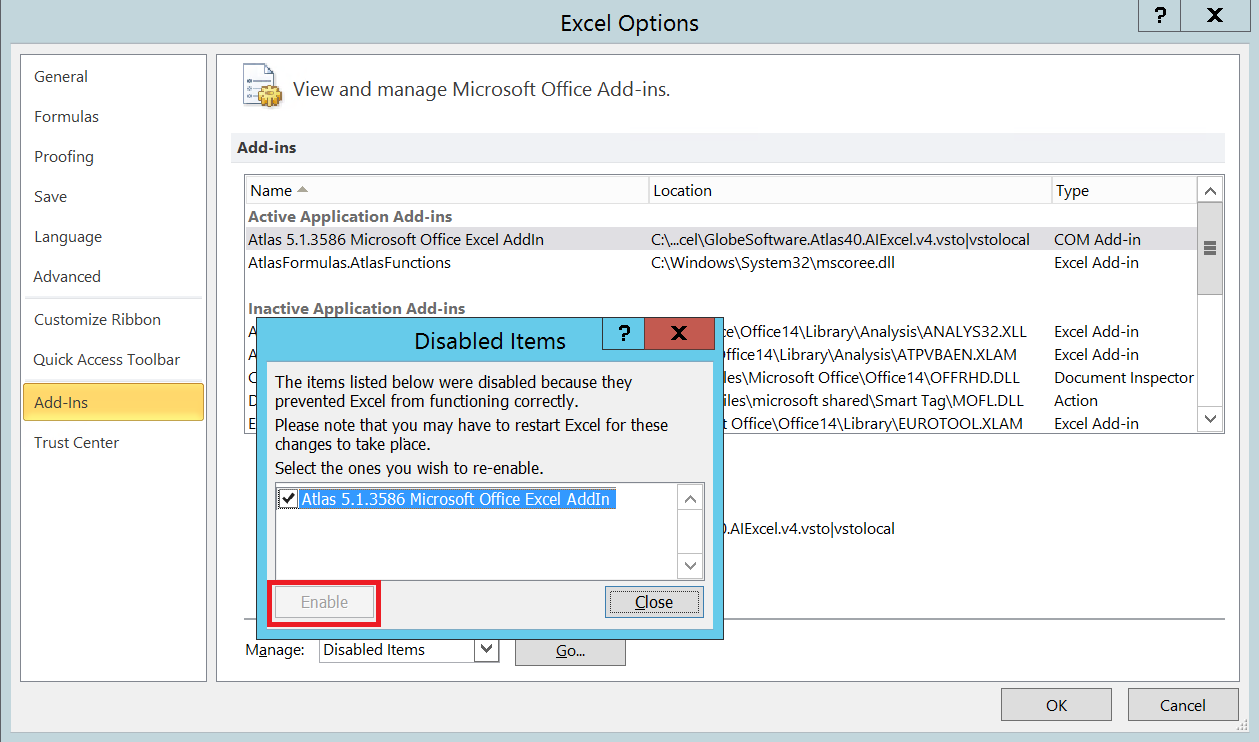
- Re-open the excel file again. When loading page should show loading Add-ins "Atlas for microsoft office add-in" (Previous if the menu is disappear this add-ins will not show loading when opening).

- Now the menu is showing. The excel file prompt to pull the report.
