
Computer tips "The Aero Shake"on Windows 11.


The "Aero Shake" trick: Shake one window to clear your love life.
This is an advanced feature that's a lifesaver for those who multitask (keep many windows open) or those who enjoy editing photos and coding.
Aero Shake is a feature that allows you to quickly hide all other application windows on your screen. Simply click and hold the title bar of the desired window, then shake it back and forth. Other windows will be minimized to the taskbar, and shaking it again will restore them to their original state.
This feature may be disabled by default. If you wish to enable or disable it, you can follow these steps:
How to turn Aero Shake on or off on Windows 11.
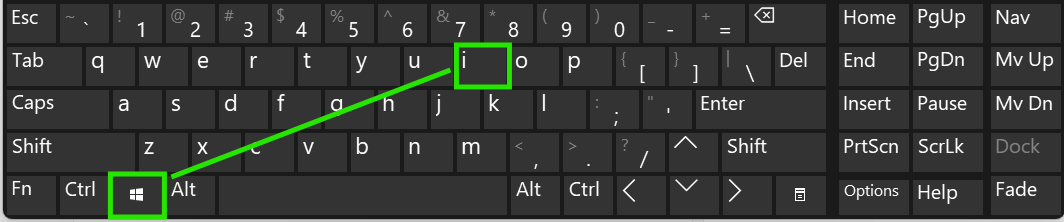
- Press the Win + I shortcut on your keyboard to open the Settings window.
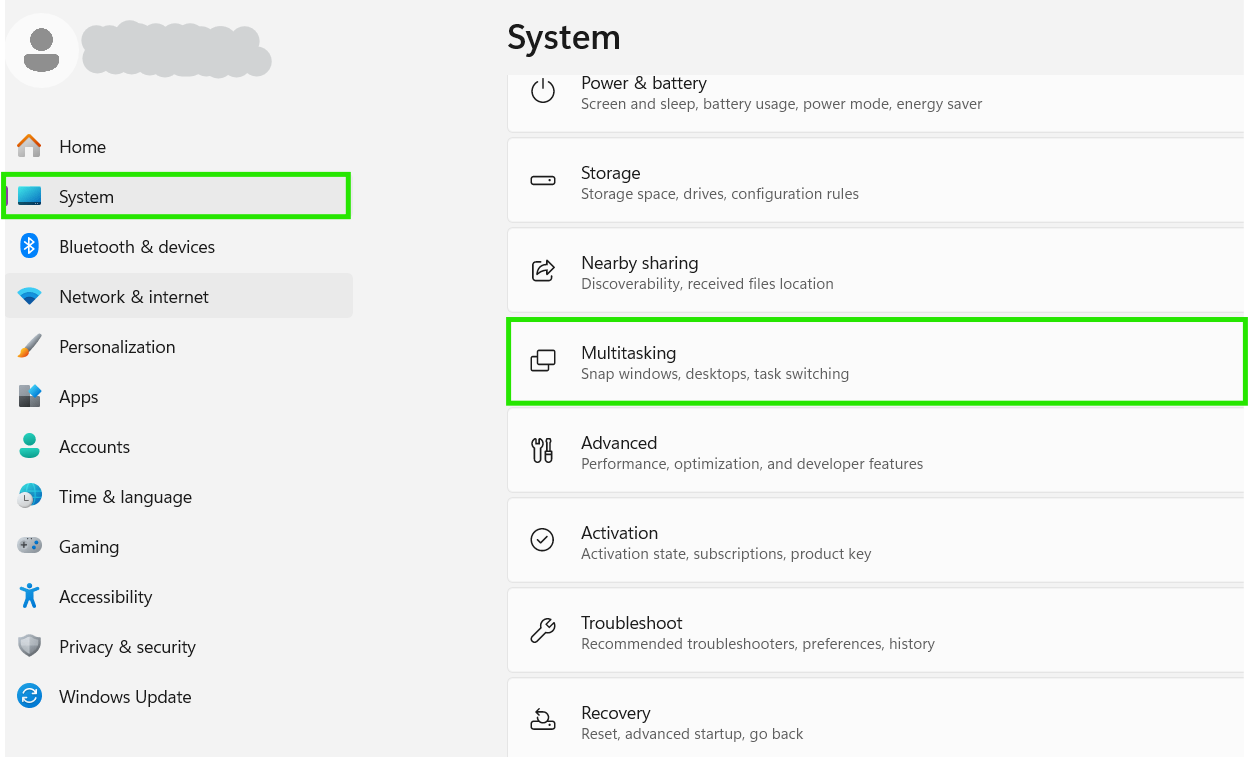
- Select the System menu in the left-hand menu bar, then click Multitasking.
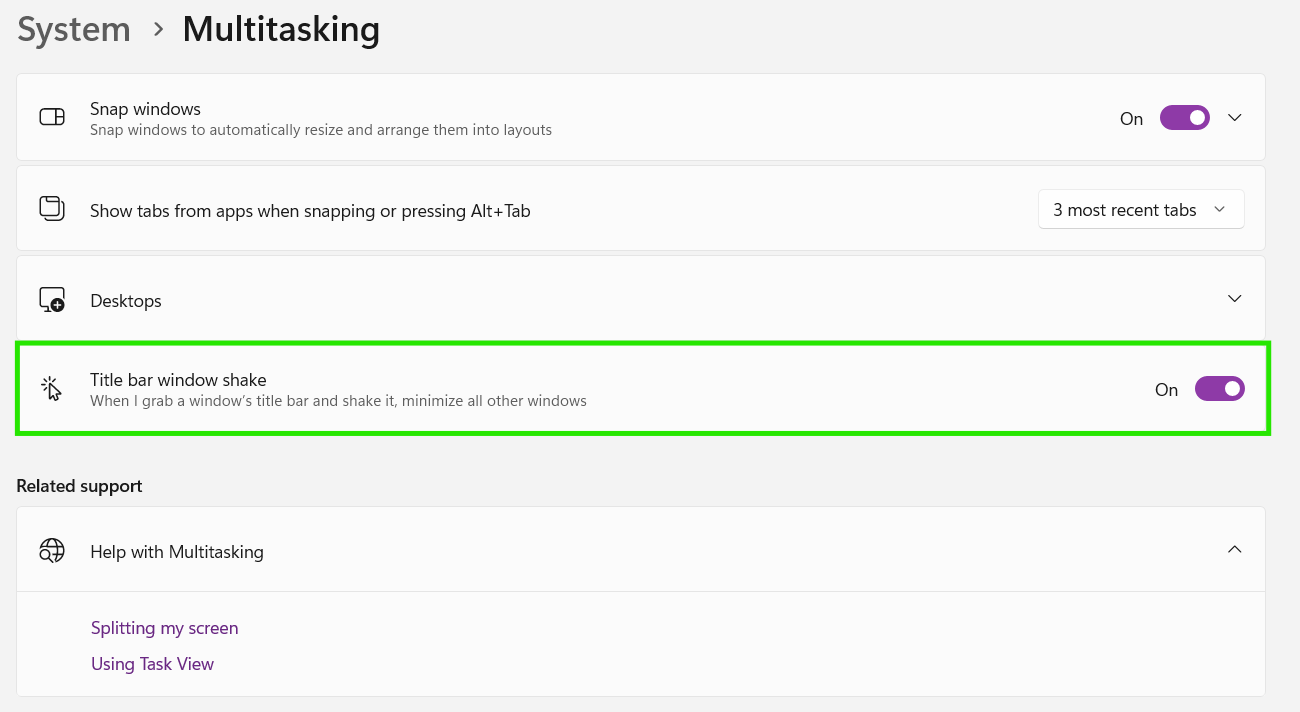
- Scroll down to find Title bar window shake.
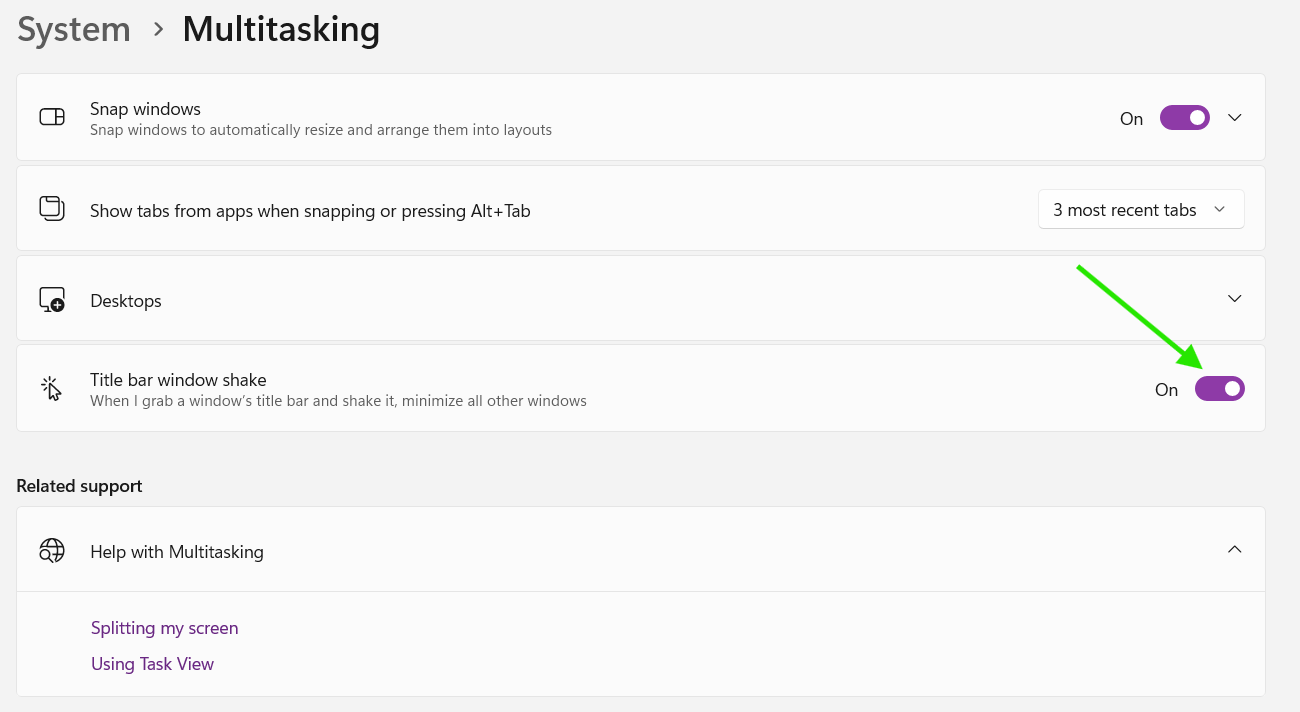
- Turn it On or Off as needed.
If you'd like to see a usage example before you begin the setup, you can watch the video via this link: https://www.youtube.com/shorts/gTssvvAieAg
..