
How to check Physical Address (MAC) on Windows 11.


On some private network. Before client can connect need to register the device mac address is call (Mac Filter List / Mac Address Filter). So here is how to check your MAC address of WiFi.
1.On your computer go to Start > Settings

2.Click on "Network & internet" then turn on the Wi-Fi and again click on tap Wi-Fi.
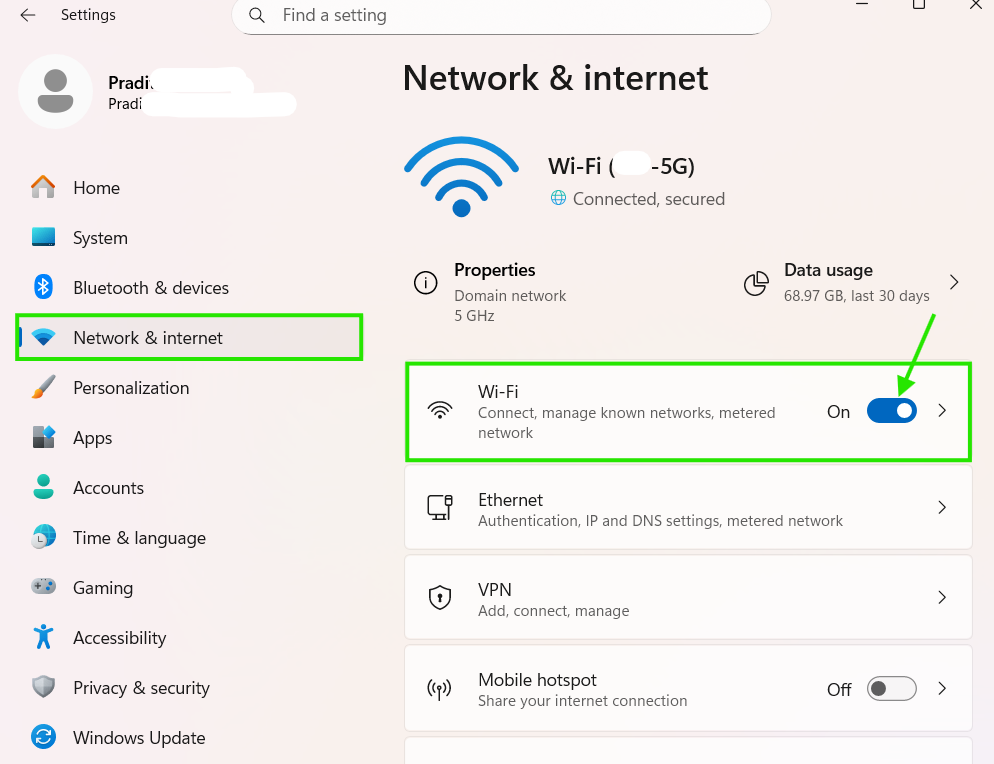
3.Click on ">" and slide down below, you can see the Physical Address (MAC)

4.Now you can use the Physical Address (MAC) of you seem for Mac Filter List or Mac Address Filter then.

finished..
end..