
How to use the RAMDisk.


Creating a RAMDisk (turning leftover RAM into a lightning-fast disk drive of 10,000+ MB/s) is another advanced hardware and system performance technique.
Typically, even fast NVMe PCIe 4.0 SSDs have read/write speeds of around 5,000–7,000 MB/s. However, if we utilize unused RAM (e.g., if your computer has 32GB or 64GB of RAM) to simulate a physical disk drive, the speed can skyrocket to 15,000–30,000+ MB/s (depending on the RAM bus speed). This speed allows for seamless reading and writing of large files.
Practical applications of a RAM disk.
1.Use as a temporary folder/scratch disk for video editing:
Configuring programs like Adobe Photoshop, Premiere Pro, or DaVinci Resolve to use RAMDisk as a cache/scratch disk will noticeably improve the smoothness of previewing large files or RAW files.
2.Used to load portable programs / browser cache:
Moving the web browser's cache (e.g., Chrome/Edge) to a RAM disk makes loading web pages and temporary cache files faster.
3.Help extend the lifespan (TBW) of your SSD:
Reduce the reading and writing of temporary files to the SSD, as these junk files will be written and deleted to RAM instead.
How to create a RAM Disk (using free software)
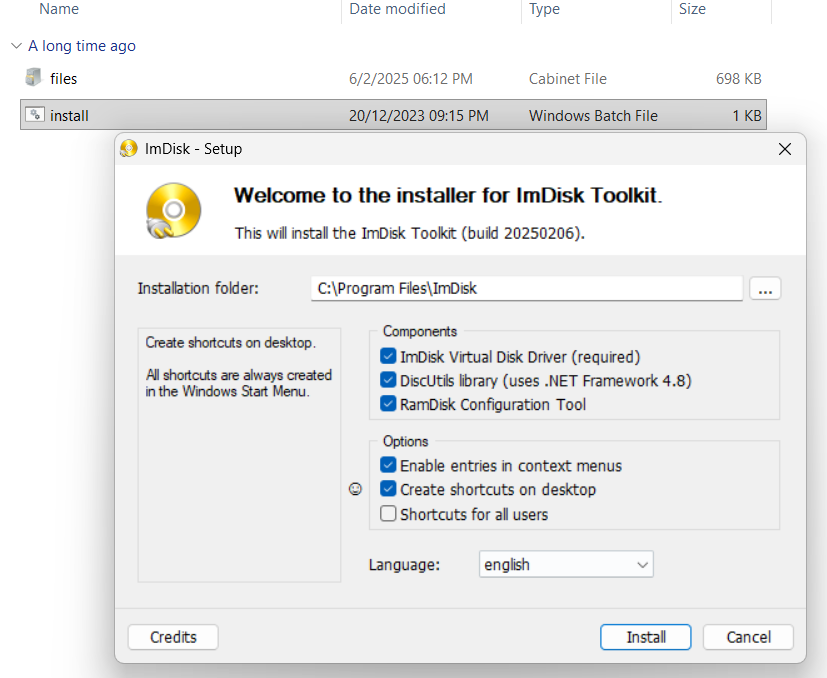
1.Download the ImDisk Virtual Disk Driver program.
Download and install ImDisk Toolkit (free, open-source software with no ads).
Verification: Once installed, a RAMDisk Configuration icon will appear on your screen.

2.Specify the size and drive.
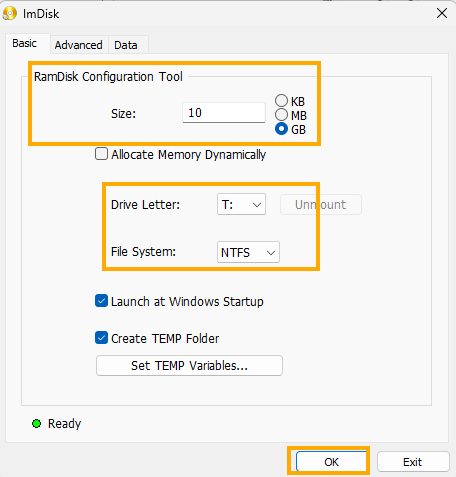
Open the RAMDisk Configuration program:
- Size: Specify the desired amount to allocate from RAM (e.g., 4 GB or 8 GB, depending on the available RAM in your system).
- Drive Letter: Select a drive letter (e.g., T:).
- FileSystem: Select NTFS.
3.Enable high-speed drive.
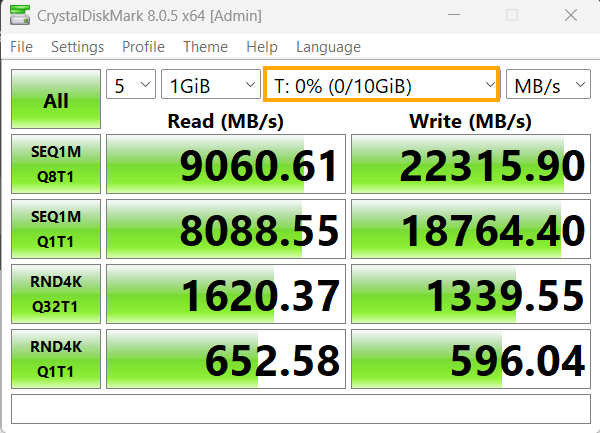
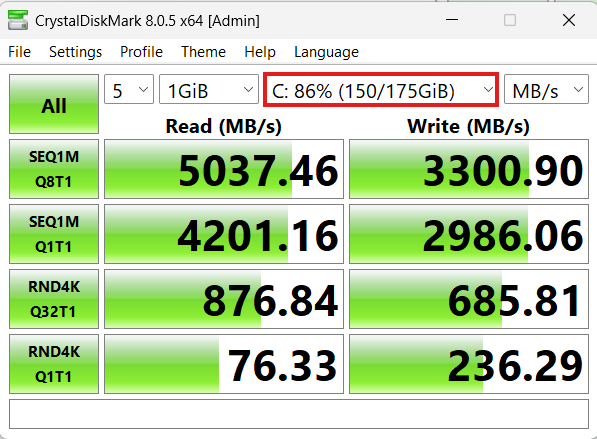
Verification: Go to This PC and you will find a new drive (e.g., T:) appearing. You can test its speed with CrystalDiskMark and you will see read and write speeds that are many times higher than a normal SSD.
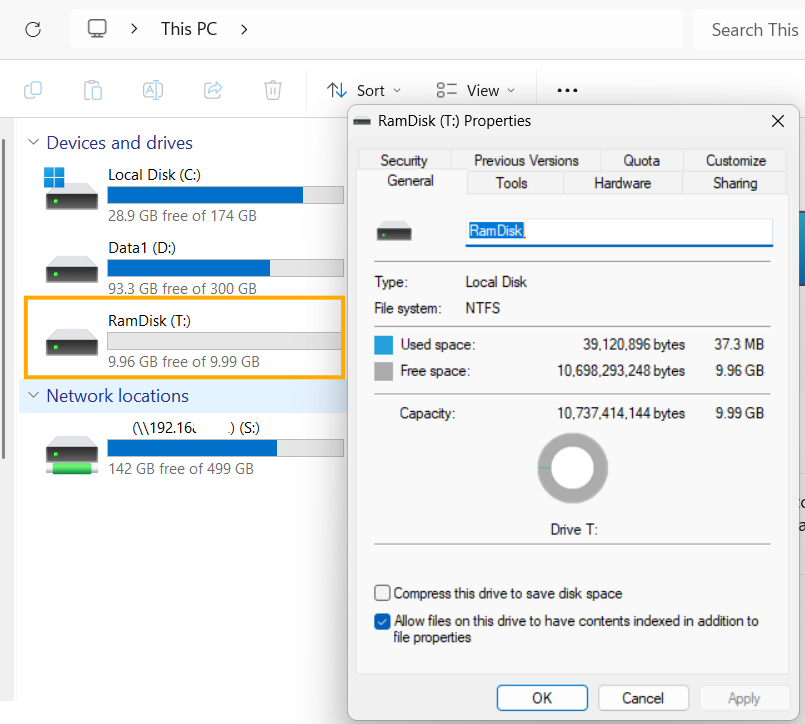
This is the high-speed drive.
and this a normal SSD.
- The most important precaution regarding RAM disks.
Data on the RAM disk will be lost immediately when the computer is turned off or restarted (because RAM is volatile memory). Therefore, it is only suitable for temporary files, cache, or Scratch rendering. Never place important, unsaved project files on this drive.
finished..
end..