
How to fixed when you can't open ZeroTier VPN.


When you open ZeroTier and the status shows "Waiting for ZeroTier system service..." as shown in this image...

The "Waiting for ZeroTier system service..." status occurs because the user interface (UI) application cannot connect to the ZeroTier background service. This issue can be resolved by following these steps:
1.Restart the ZeroTier service.
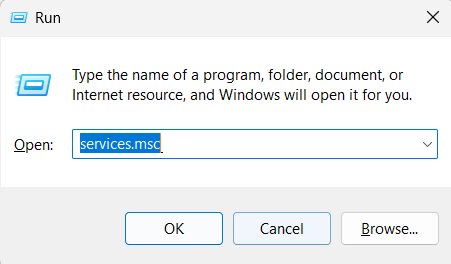
1.1 Press the Windows + R keys on your keyboard, type services.msc, and press Enter.
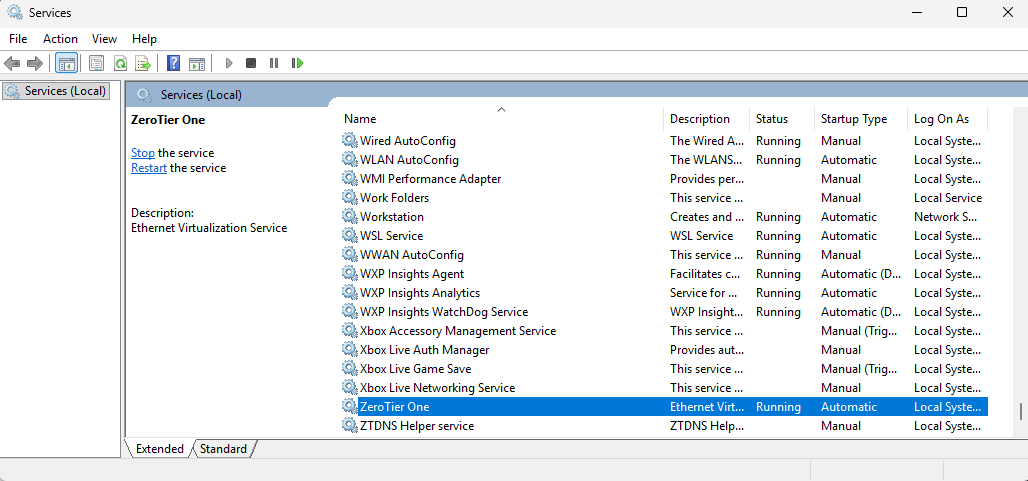
1.2 Search for the ZeroTier One service name.
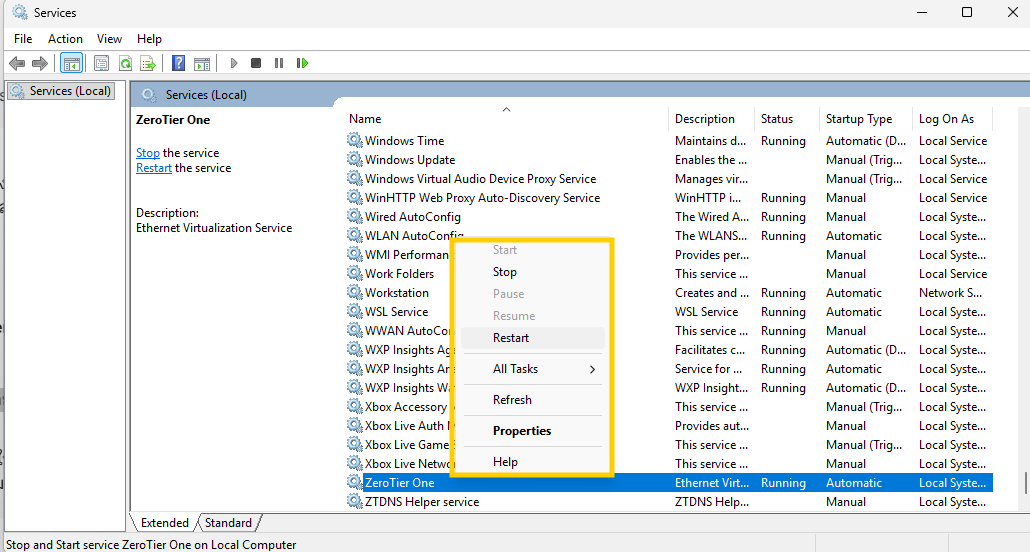
1.3 Right-click ZeroTier One and select Start (if Start is unavailable or it is already running, select Restart).
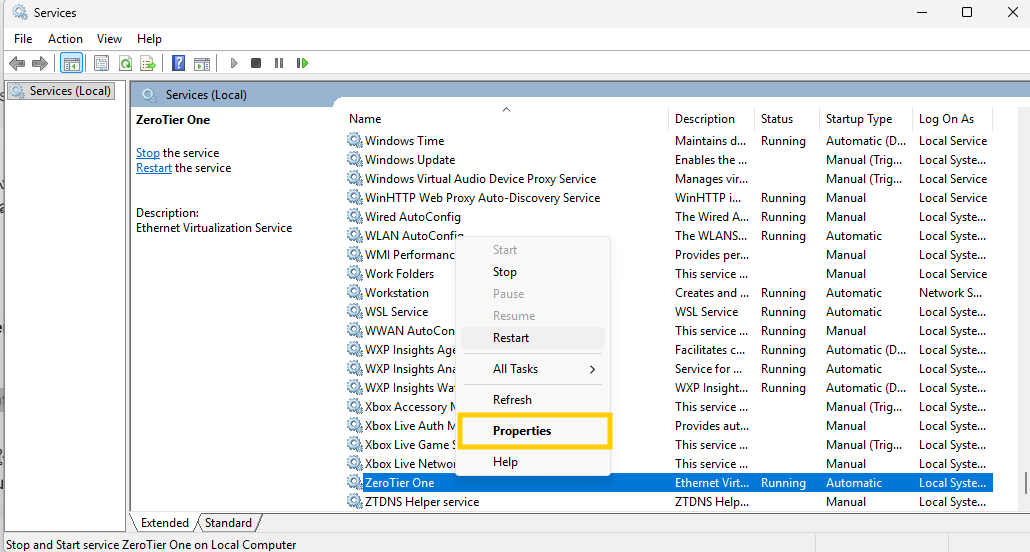
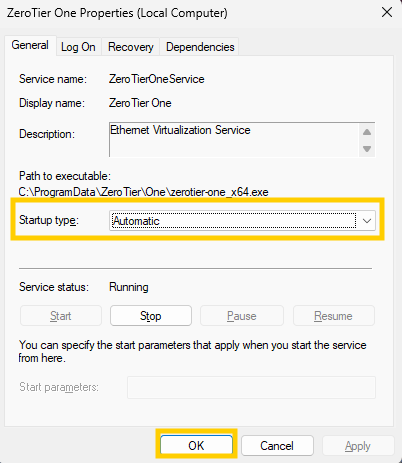
1.4 Right-click on ZeroTier One, select Properties, and change the Startup type to Automatic; then click OK (this ensures the program launches automatically every time you turn on your computer).
2.Close the unresponsive program in Task Manager and reopen it.
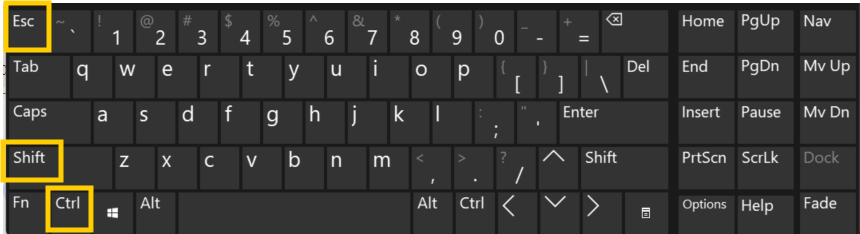
2.1 Press Ctrl + Shift + Esc to open Task Manager.
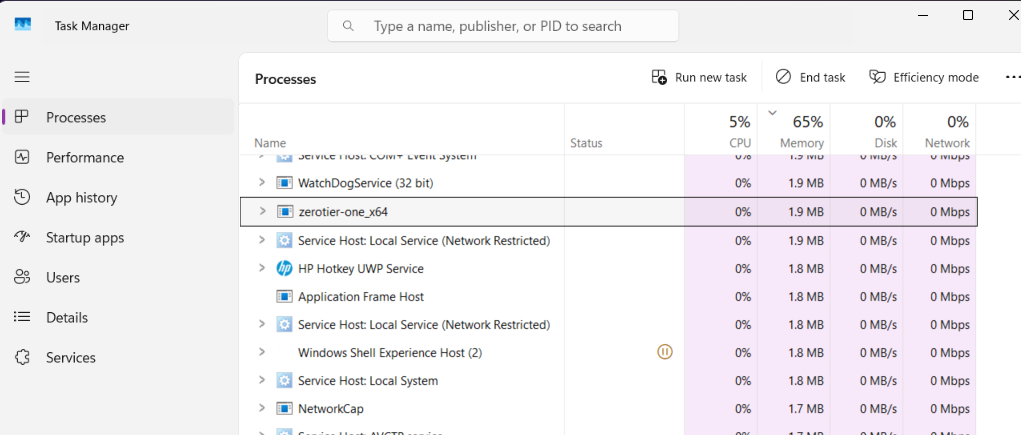
2.2 Find ZeroTier One in the list.
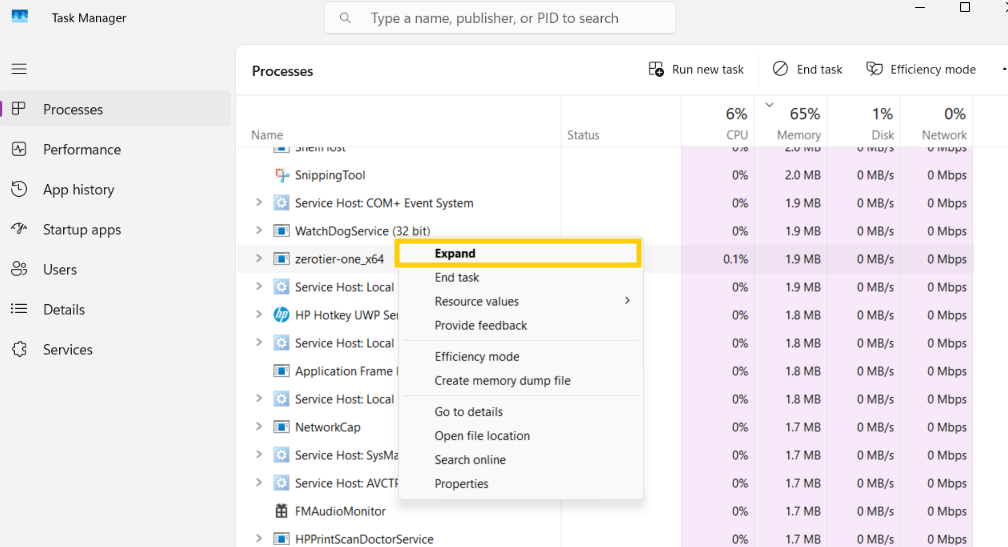
2.3 Right-click and select End task.
2.4 Launch the ZeroTier One program again via the Start Menu.
finished..
end..