
Kaspersky: Add trusted address on Kaspersky Endpoint Security


Add trusted addres to Kaspersky Endpoint Security 11 to allow to by pass the IP/URL from scan or block (This example used version 11).
- Open "Kaspersky Endpoint Security"
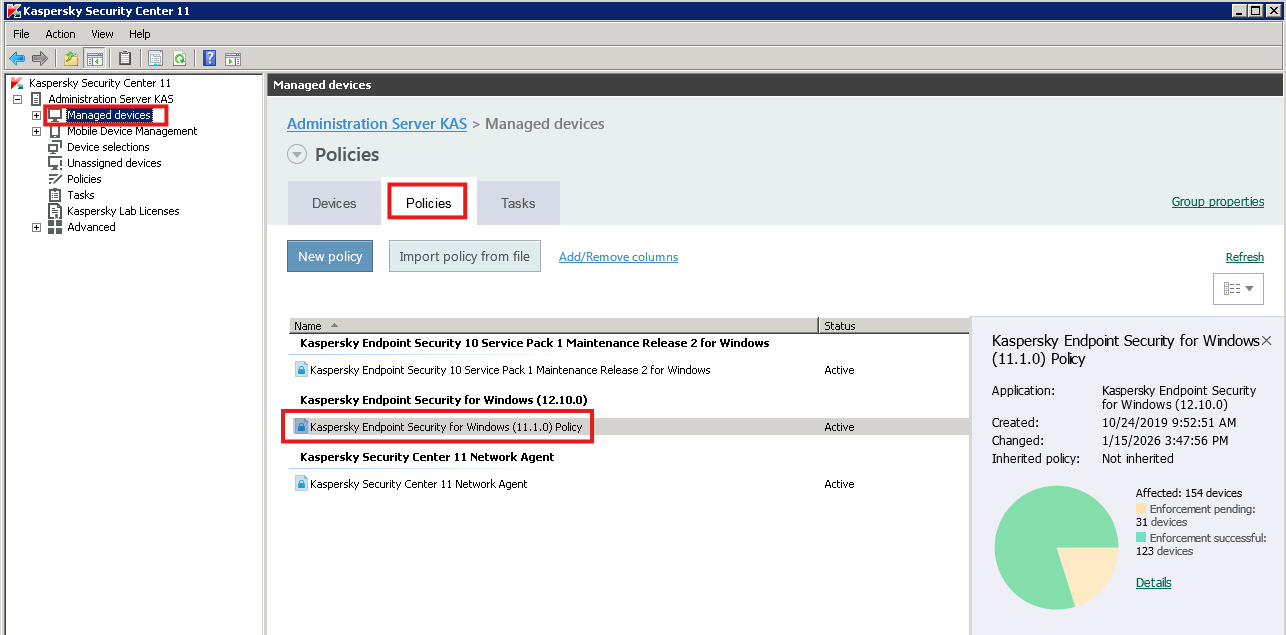
- "Kaspersky Security Center 11" > "Administration Server KAS" > "Manage Device" > "Policy"
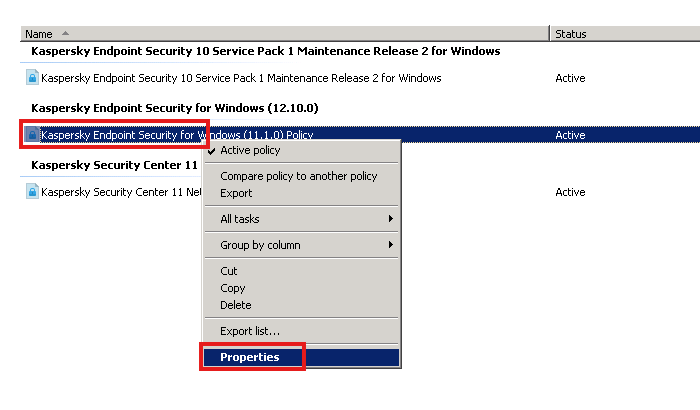
3. Right click > "Properties"
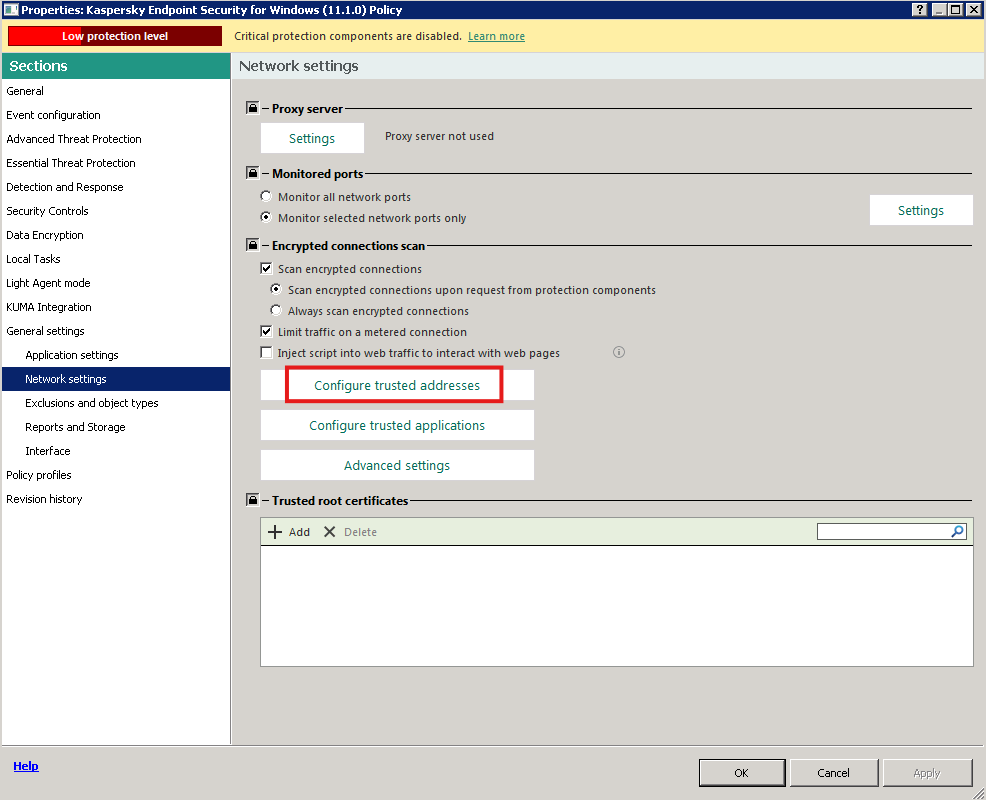
- Select "General settings" > "Network settings" > "Configure trusted address"
- " Trusted addresses" > "Add" > "Enter domain or IP address"
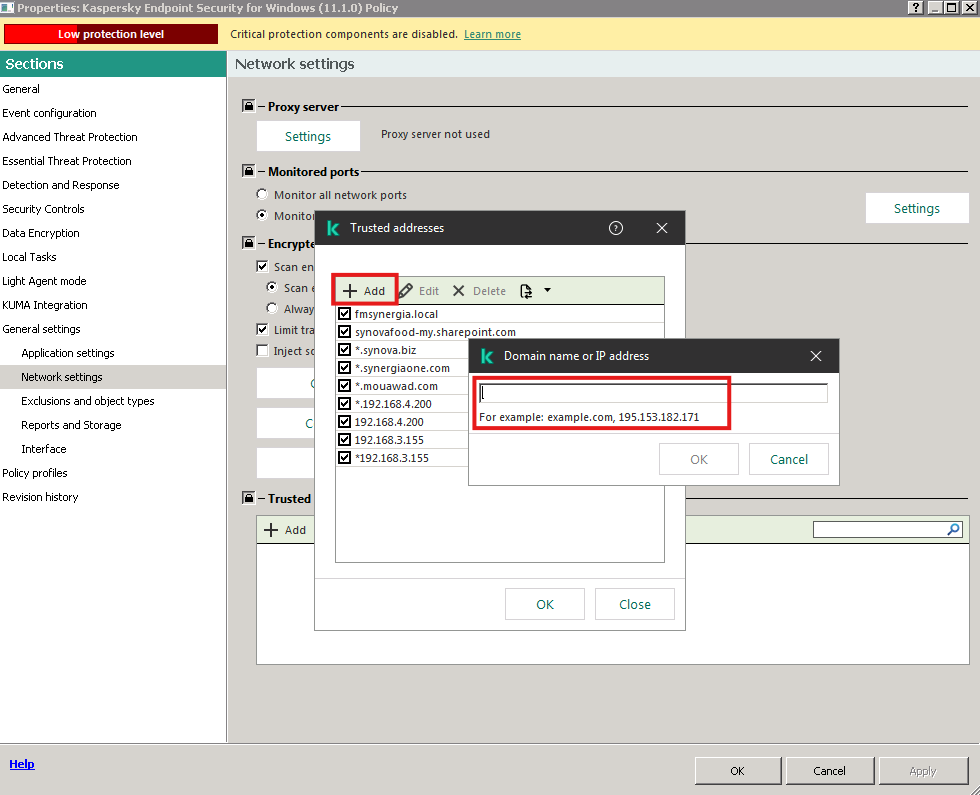
6. OK to fihish. The trusted address will run task to update to the client.