Mikrotik: Change the TTL(Time to Live) on Mikrotik router


Change TTL (Time to Live) on a mikrotik router for prevent users from share internet from user computer (Share Hotspots, Tethering). Link user mobile phone to share the internet hotspot/tethering.
To prevent this we can set TTL (Time to live) to 1. The packets will expired immediately if they pass throught anoter router.
Time to Live (TTL) is a mechanism that limits the lifespan of data in a computer network or cache to prevent infinite loops, network congestion, or the use of outdated information
When data moves across the internet, it is split into packets. A TTL is a counter or hop limit attached to each packet.
- How it works: Every time the packet passes through a router (a "hop"), the TTL value drops by 1. If the TTL hits 0, the router discards the packet and sends a notification back to the sender.
- Why it matters: It prevents packets from endlessly circulating the network due to routing errors.
The concept applies in three primary contexts: In Data Packets (Networking), In DNS Records (Websites), In Caching (Performance).
How to create:
- Open Winbox and log-in to your router.
- Go to "IP > Firewall > Mangle".

- On the mangle tab click "New".
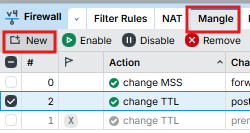
- On "Genergal tab" > Chain=postrouting, Dst.Addres= "your subnet",
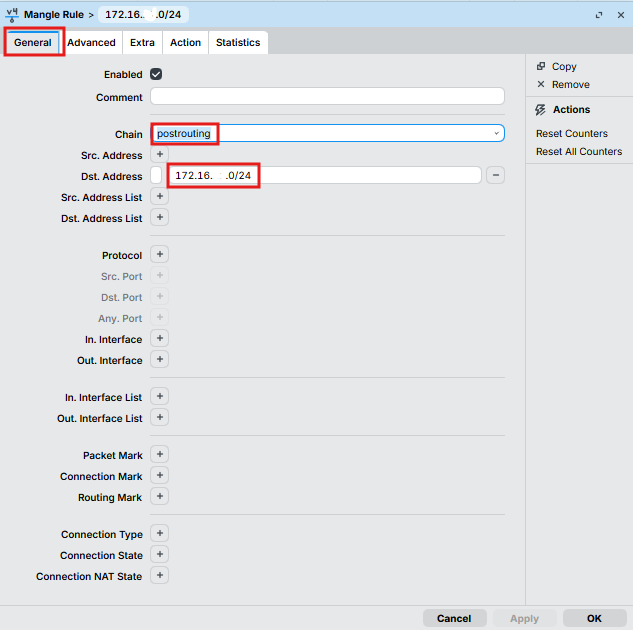
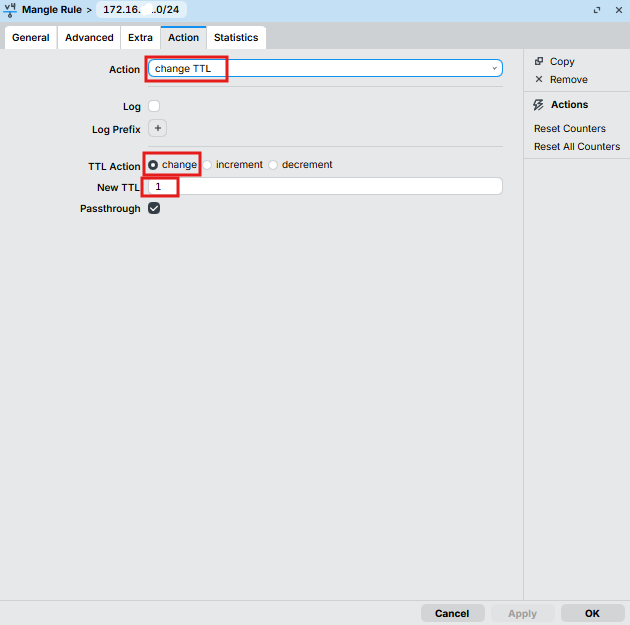
5. On "Action tab" > Action=change TTL, TTL Action=Change, New TTL=1 > Click OK to create.
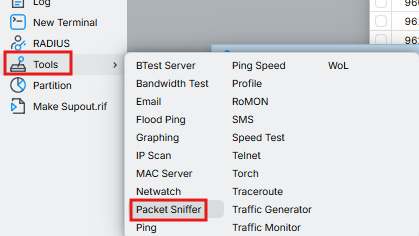
- Recheck for TTL is changed to 1 as added by using "Packet Sniffer". Open packet sniffer by goto "Tools > Packet Sniffer".
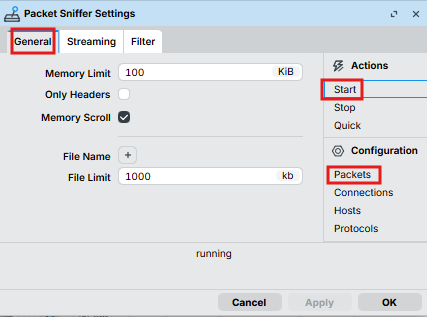
- On "General" tab > Click "Start" > then click "Packets" to view.
- After click "Packets" the windows "Packet Sniffer" will open.
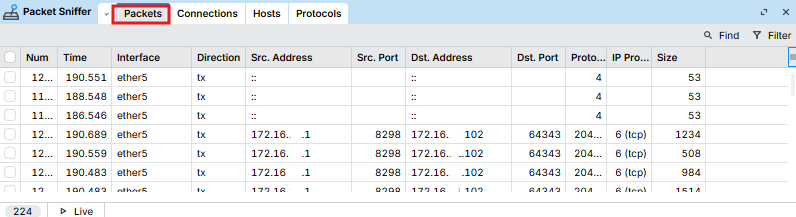
- If the colume not show TTL, Open it by add colum.
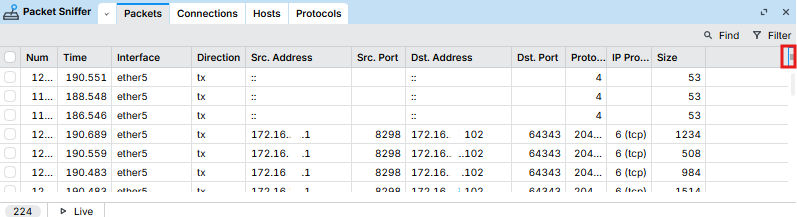
- Check "TTL" to show.

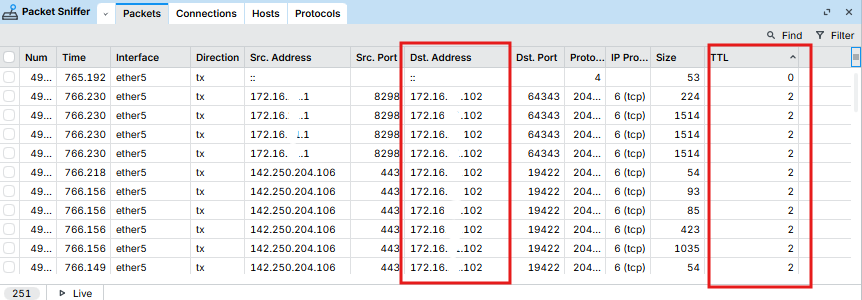
- Now the TTL colume showed and value = 1 (Dst. Address= 172.16.x.x as set on postrouting).

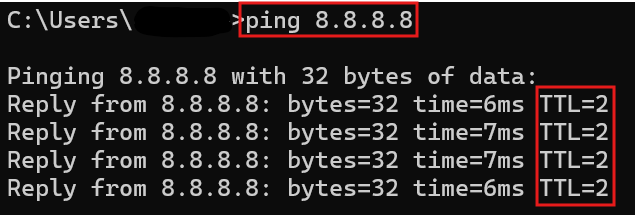
- Test change TTL to other value (TTL=2).
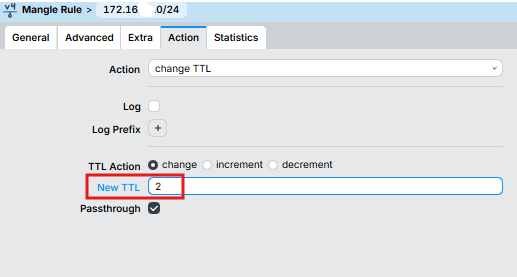
13. Back to check the value on "Packet Sniffer".
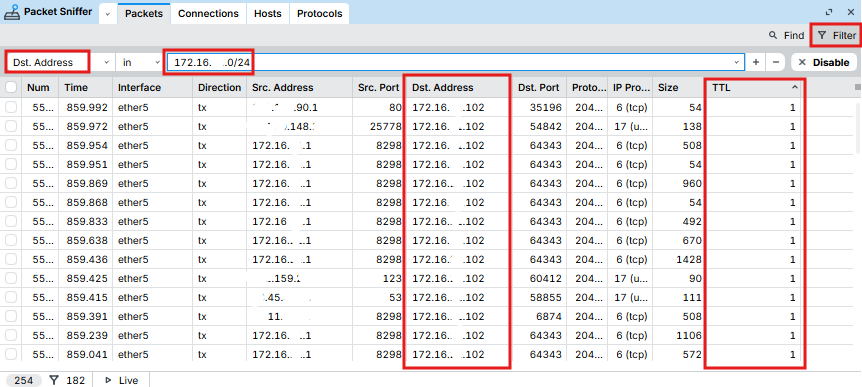
- Using "Filter" view only Dst.Address=172.16.x.0/24 (User subnet).
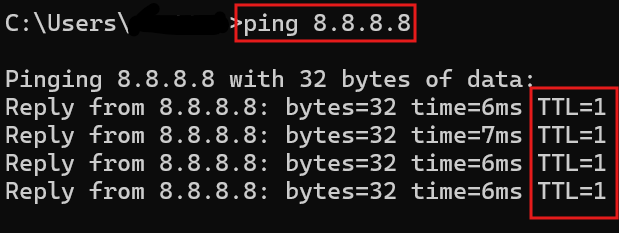
- Another way you can use ping from computer under the user subnet. Ping test and TTL will show.