Using 7zip to split small zip files


Using 7zip instand of winrar to compress and split to small files.
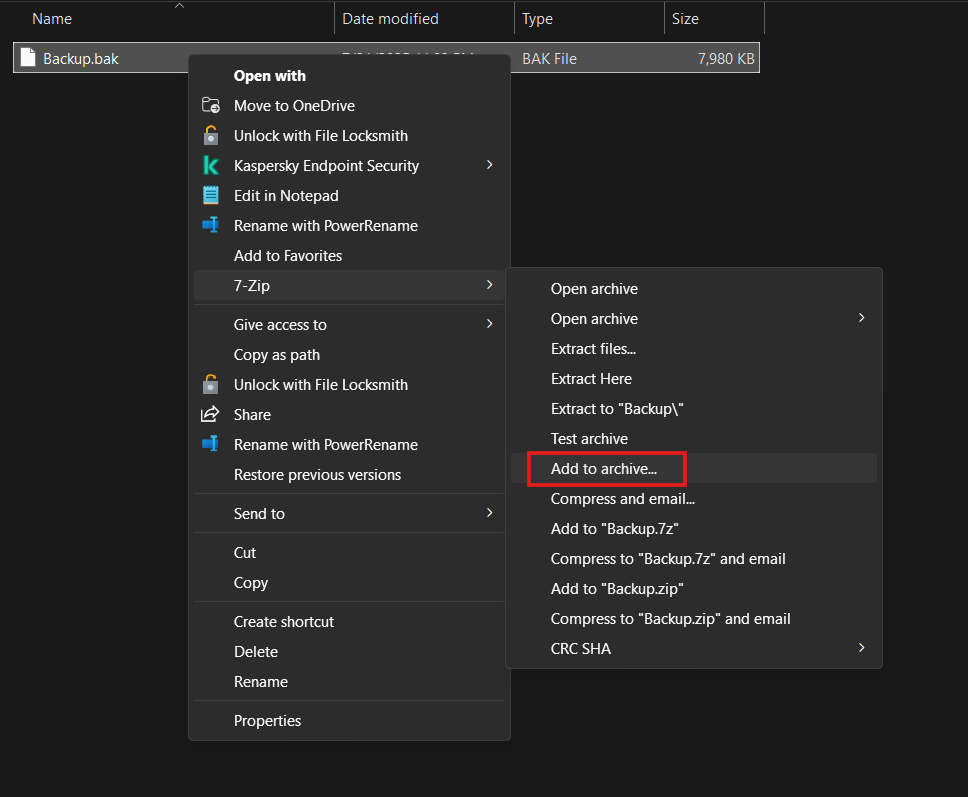
- Right click on the target file > "7-Zip" > "Add to archive...".
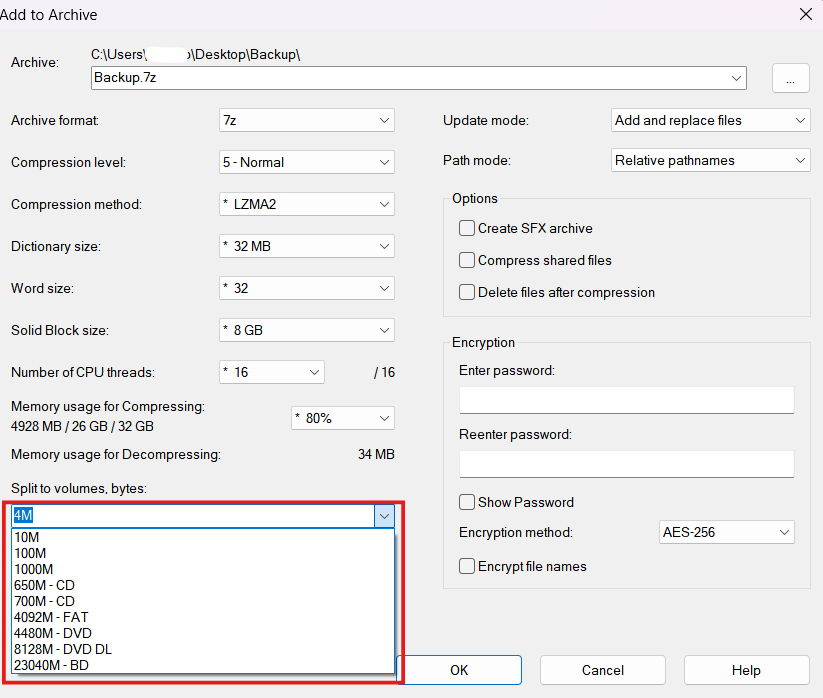
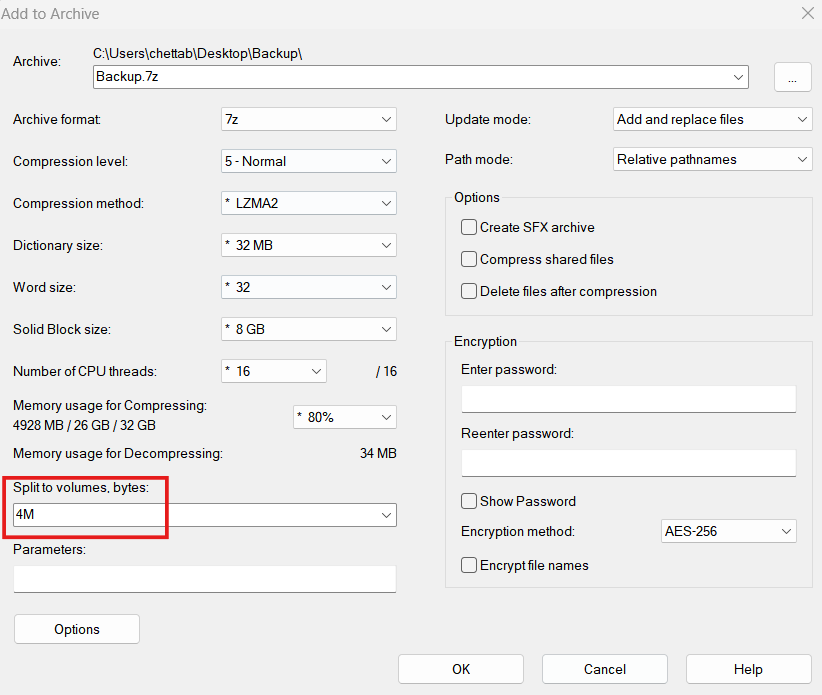
- Looking for "Split to volumes bytes" (Can type number "4M").
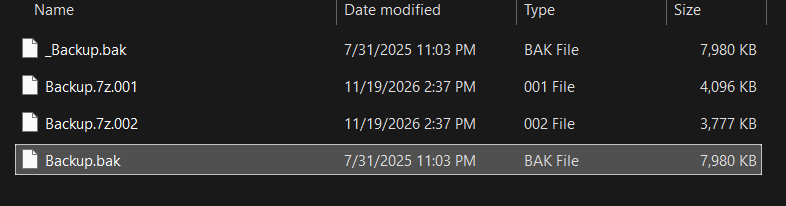
- Result file in destination folder.
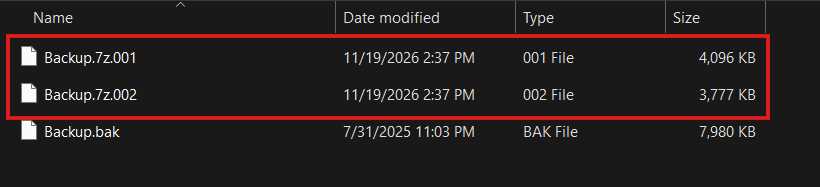
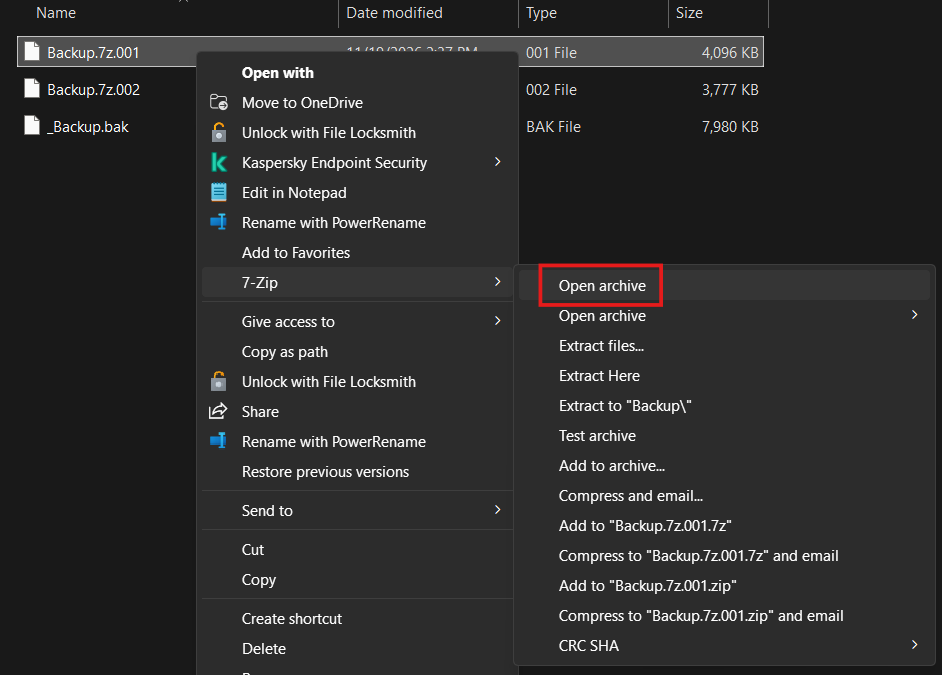
- To open archive from splited files. "Right click"on the first split file > "7-Zip" > "Open archive".
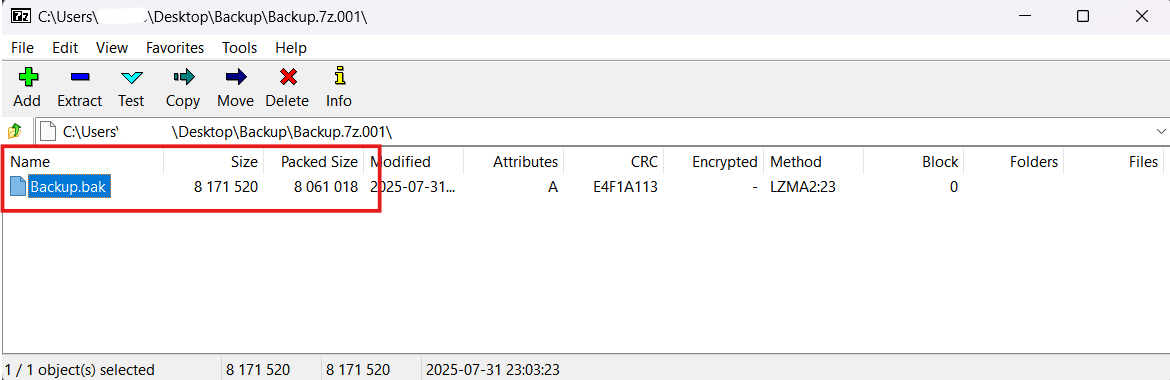
- The file will show.
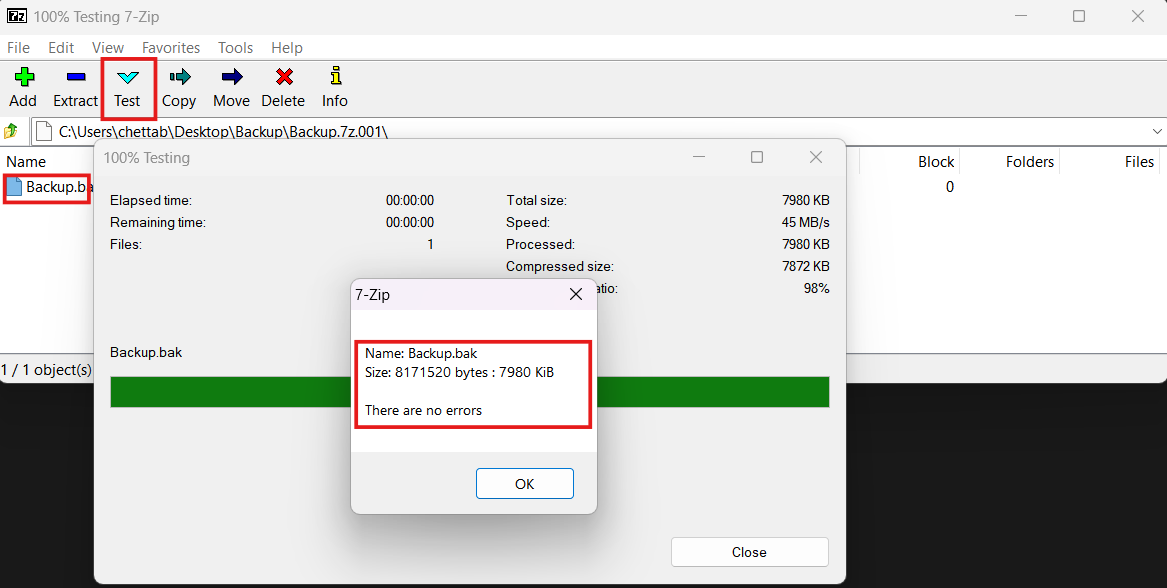
- Try test the file is compleate.
- Extract the file to save location.
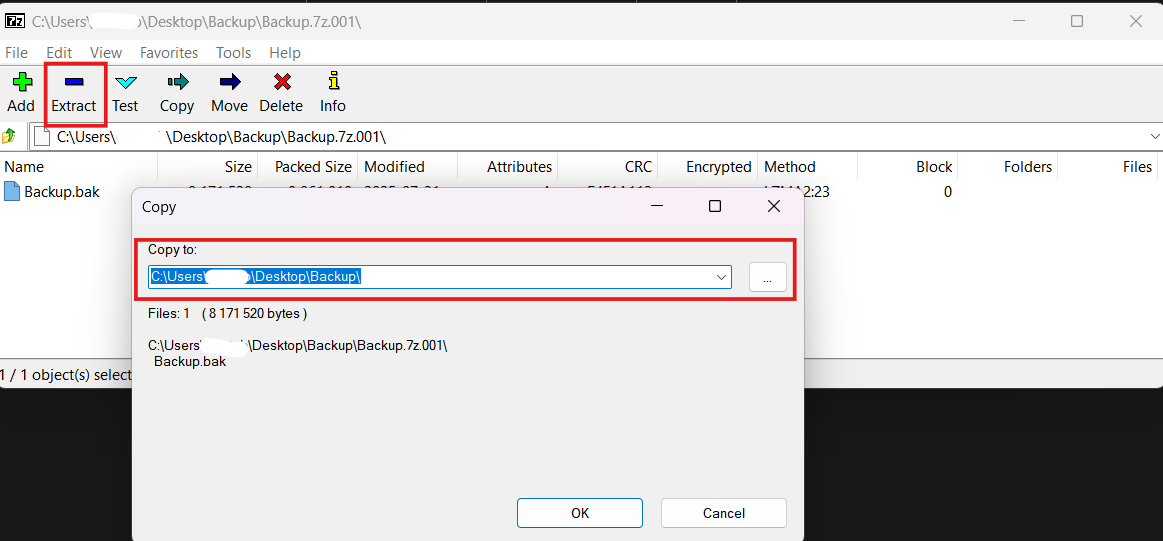
- The extracked file will show on destination folder.