
What should I do if Windows 11 keeps showing "Add a device" notifications from other people's Bluetooth devices?

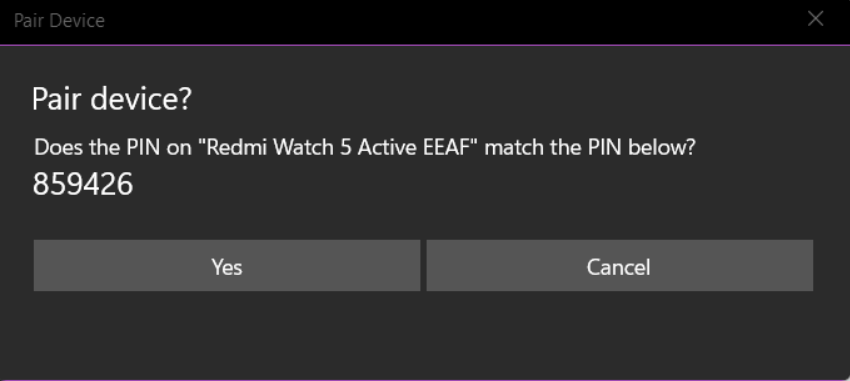
If your Bluetooth on Windows 11 constantly displays "Add a device" notification from others, you can disable this notification without turning off Bluetooth altogether.
You can turn off these notifications by disabling Swift Pair or disabling the new device notification option. Let's see how.
How to turn off notifications via Settings.
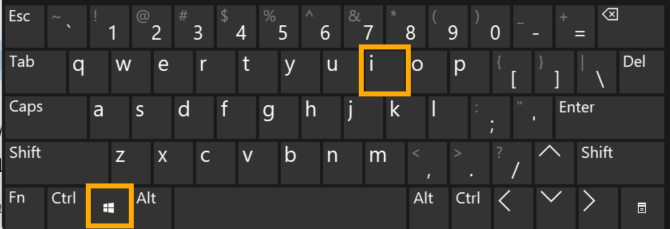
- Press the Win + I keys on your keyboard to open the Settings menu.
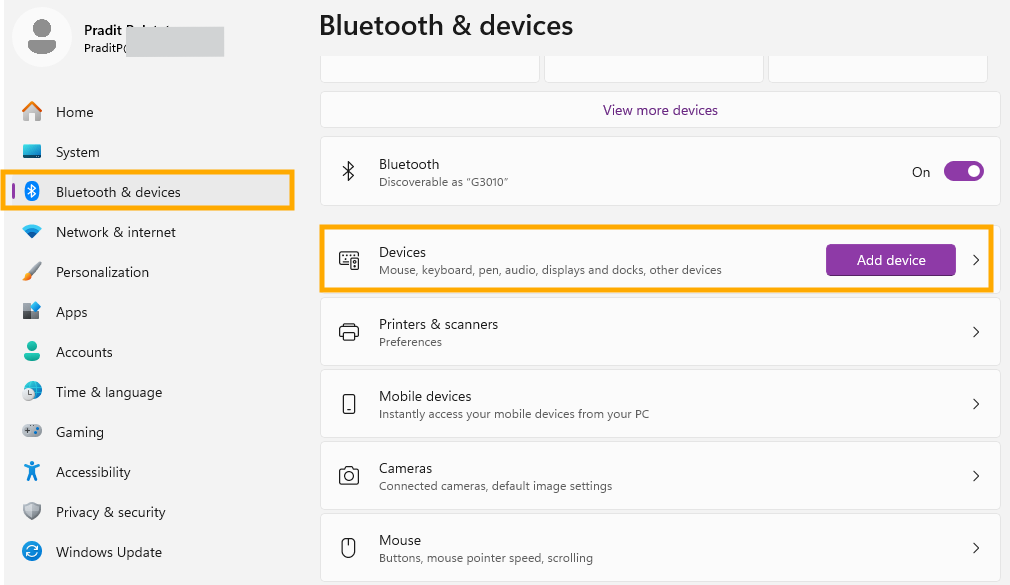
- Click on the Bluetooth & devices menu on the left.
- Click on the "Devices" tab on the right.
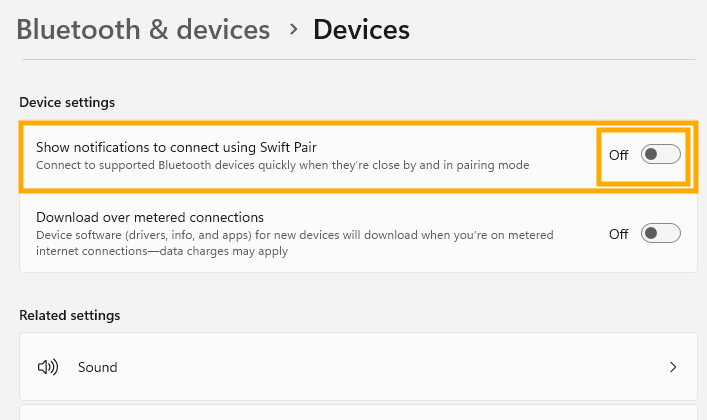
- Scroll down to the Device settings section.
- Turn off the switch next to "Show notifications to connect using Swift Pair".
Additional methods (in case there are other notifications remaining)
- On the Bluetooth & devices page, scroll down to the bottom and click More Bluetooth settings.
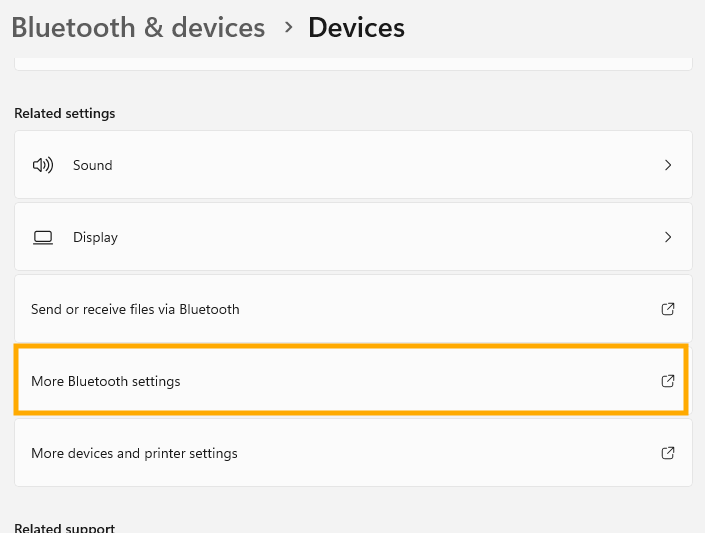
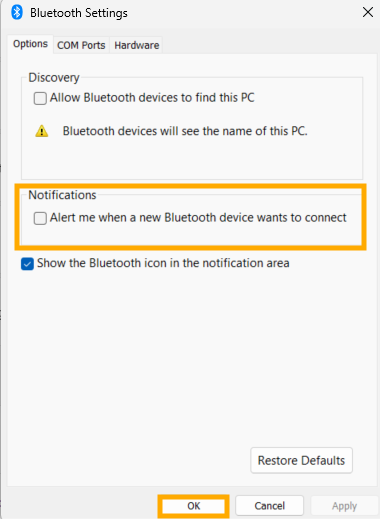
- In the small window that pops up, go to the Options tab.
- Uncheck the box next to "Alert me when a new Bluetooth device wants to connect."
- Click Apply and then press OK.
Finished..